

Workflow outcomes
Every troubleshooting topic ends one of three ways for the reader:
- Return to service — the troubleshooting result supports returning the asset to service.
- Asset requires maintenance — the troubleshooting result identifies a maintenance need and directs the reader to the applicable maintenance manual or work order.
- Escalate — the documented troubleshooting is exhausted or engineering interpretation is required. Route the reader to the on-call engineer who owns the failure mode through a named escalation path.
Your job as the topic author is to make sure every leaf step in steps[] lands on exactly one of these three outcomes. The reader should never be left holding the alarm report and wondering what to do next.
Think through the outcomes in this order as you design the flow: can the asset return to service; if not, does it require maintenance; if the topic cannot determine either outcome, who must resolve it?
Which outcome do you want to learn about?
Return to service
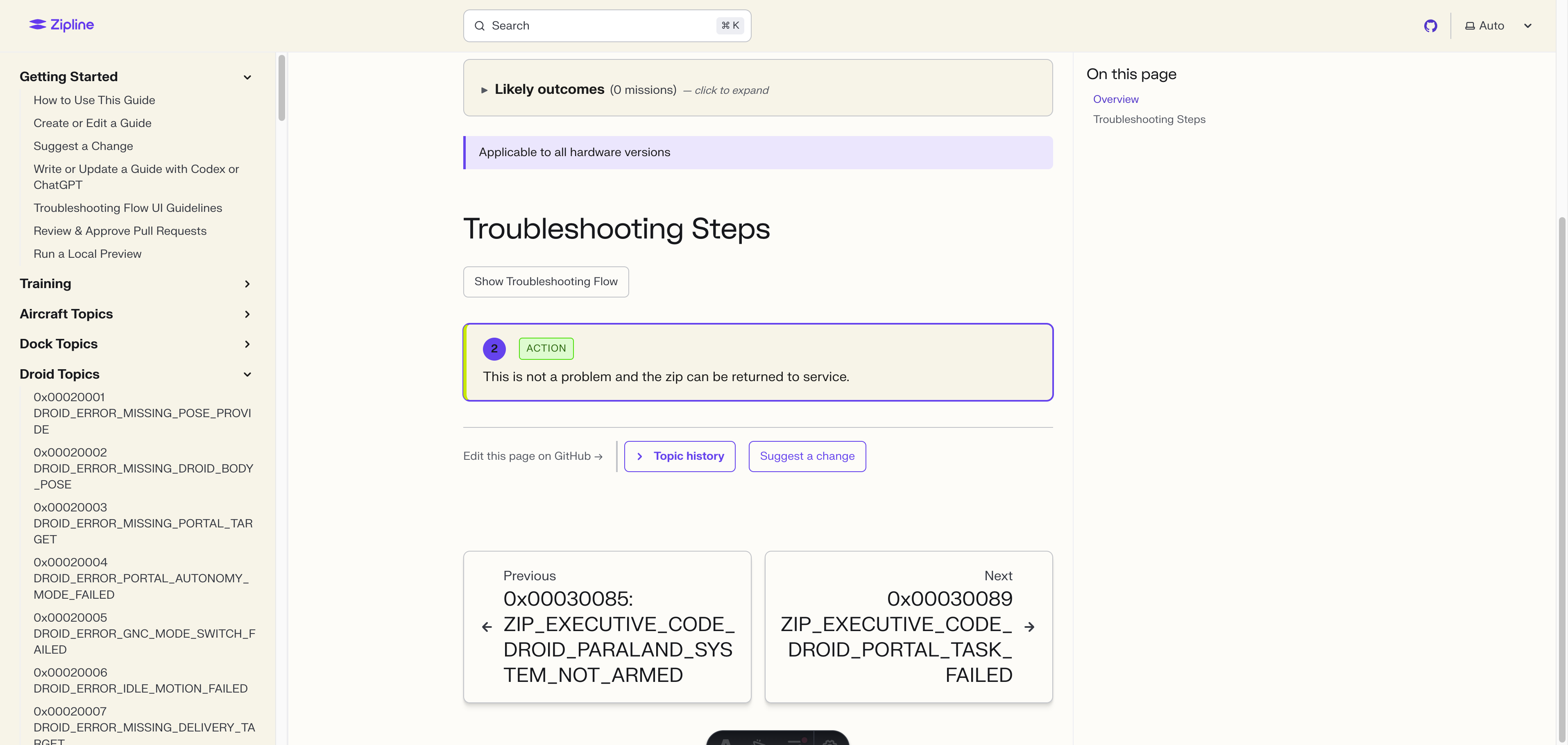
The reader has worked through the decision tree and confirmed that the asset can return to service. Express this with a terminal action step that states the disposition in plain language.
{
  id: "this-is-not-a-problem-and-the-zip-can-b",
  type: "action",
  text: "This is not a problem and the zip can be returned to service.",
}
The id looks truncated mid-word because step ids are auto-generated from the step text and capped at 40 characters. They are slugs, not human-meaningful; only the validator reads them.
Source: topics/droid/0x00100196-zip-executive-v4-droid-paraland-system-terminal. The no-problem-found branches each terminate in this same action step. Without a clear return-to-service leaf, the reader may escalate unnecessarily or hold the asset waiting for a confirmation that never comes.
Return-to-service outcome example
Asset requires maintenance
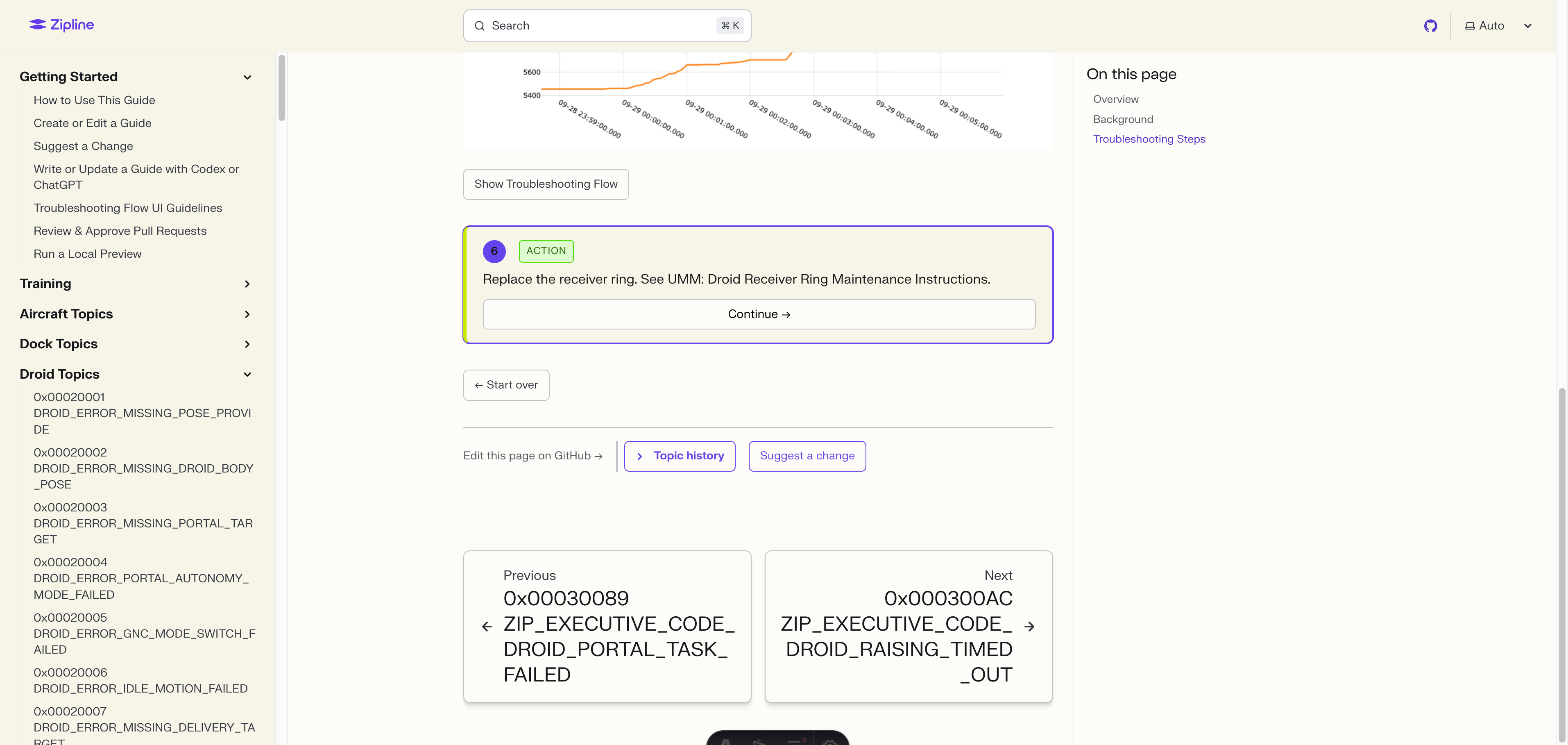
Use this outcome when troubleshooting identifies a defect or condition that requires maintenance. The terminal step must clearly state that the asset requires maintenance and direct the reader to the applicable controlled maintenance task or work order.
The troubleshooting topic may identify the maintenance need, but it must not contain the inspection or maintenance procedure itself. Keep inspection instructions, removal and installation steps, repair instructions, and acceptance criteria in the maintenance manual. Link the reader to the applicable manual instead of copying that controlled content into the topic.
Use Maintenance Manual Links to find the correct manual for the asset and hardware version.
{
  id: "asset-requires-maintenance",
  type: "action",
  text: "The asset requires maintenance. Complete the applicable controlled maintenance task before returning it to service.",
}
Asset-requires-maintenance outcome example
Escalate
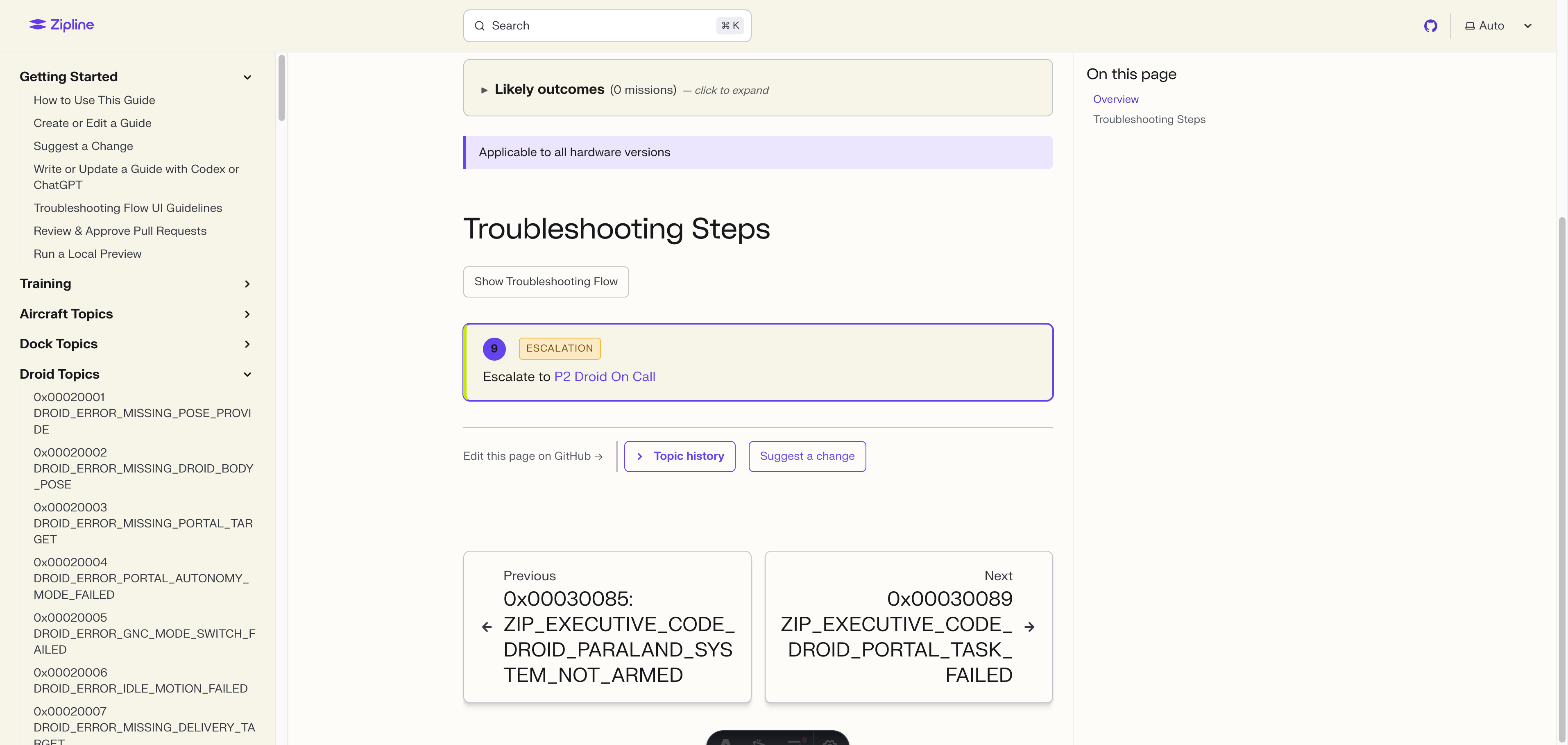
When the documented troubleshooting is exhausted or the result requires engineering interpretation, the reader needs a named team to contact. Express this with an escalation step that uses the [[EscalationPath:<id>]] shortcode—never a raw Slack handle or person's name.
{
  id: "escalate-to-p2-droid",
  type: "escalation",
  text: "Escalate to [[EscalationPath:p2-droid]]",
}
The shortcode resolves at build time from site/src/data/escalation-paths.json to the current Slack channel and owner. A daily job re-validates every escalation id against live Slack, so the topic does not go stale when a team renames a channel or rotates the on-call.
Aim to keep escalations narrow. If a category of failure regularly reaches escalation, that may be a signal that the alarm should be split into more specific failure modes with more actionable topics. Wide-net escalations recreate the back-and-forth pattern this system is meant to remove.
Escalate outcome example
The “avoid page redirects” rule
Section titled “The “avoid page redirects” rule”Do not send the reader to another troubleshooting guide and then expect them to come back and continue this one.
Every troubleshooting guide has its own ending: return to service, asset requires maintenance, or escalate. If this guide says “follow Guide B” and then continues to another step, the reader has no clear path back after Guide B ends. Guide B should not be a sub-step of this guide.
- If the relevant troubleshooting steps are short, write them in this topic.
- If the other guide contains the real troubleshooting path, route the alarm to that guide instead of linking to it from this one.
- If the same long troubleshooting instructions are needed in multiple topics, convert them into a shared procedure and link to that procedure from an
actionstep. - Do not add a Continue path after “follow another troubleshooting guide.”
This rule does not move inspections or maintenance procedures into a troubleshooting topic. Those remain in the applicable maintenance manual.
- Every leaf step ends in one of three outcomes: return to service, asset requires maintenance, or escalate.
- Return-to-service must be explicit so the reader has an unambiguous disposition.
- An asset-requires-maintenance outcome identifies the maintenance need and points to controlled maintenance content; it does not reproduce an inspection or procedure.
- Escalations use
[[EscalationPath:<id>]]shortcodes so contacts do not go stale. - No “see other guide” endings. Inline short troubleshooting steps and link to controlled maintenance content when maintenance is required.