

Determine Impacted Compute
Viewing this guide for
Follow these steps to determine which compute is affected by an alarm.
- Visit log plots for the mission in question.
- Put the alarm name into the Search Identifiers field.
- Check which compute has the alarm set to “true”. This is the affected compute.
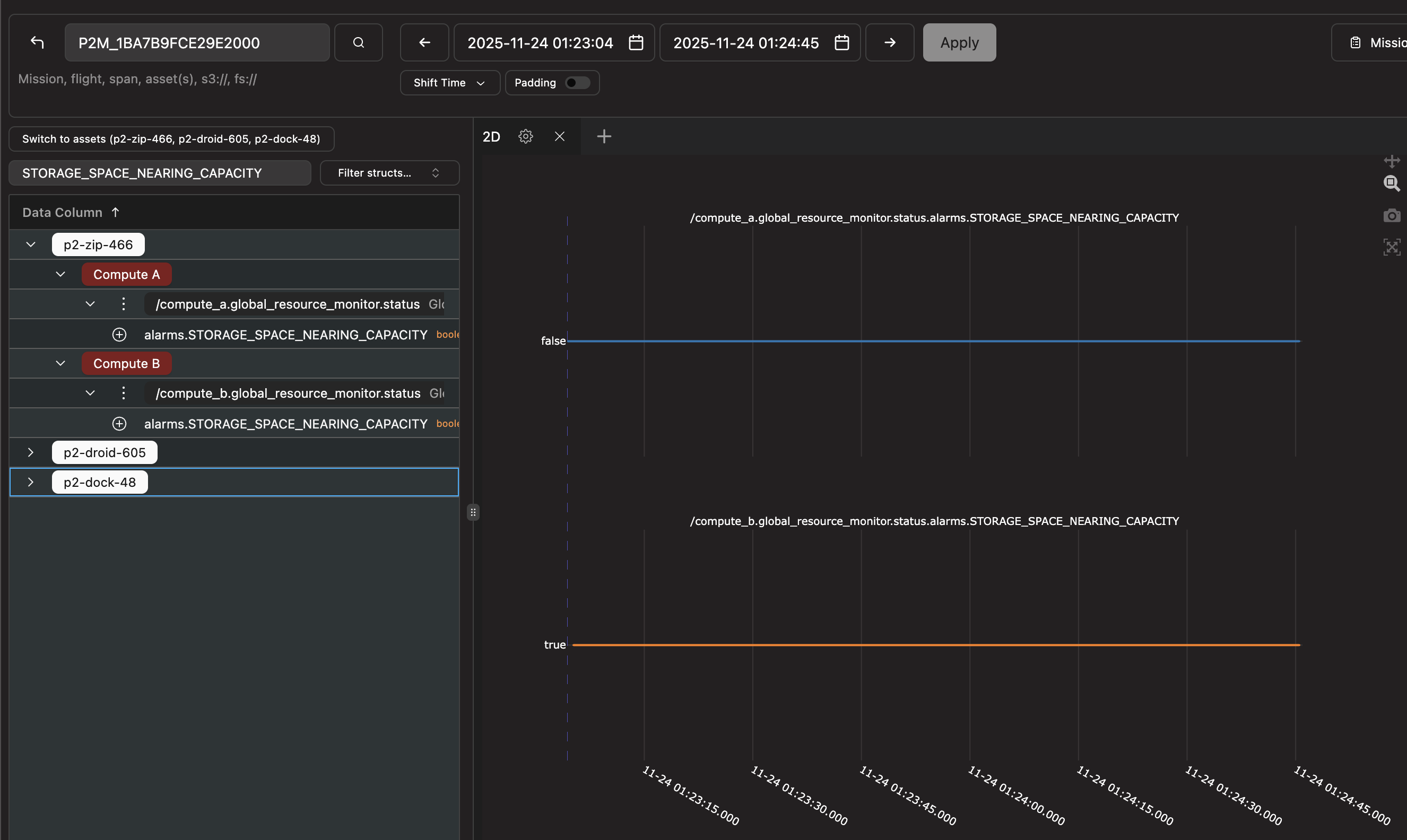
In this case, mission failed preflight due to “STORAGE_SPACE_NEARING_CAPACITY”. Affected compute is Compute B.
Did this guide help you get unblocked?
Open suggestions
There are no open suggestions.
Open pull requests
There are no open pull requests.