

Suggest a Change
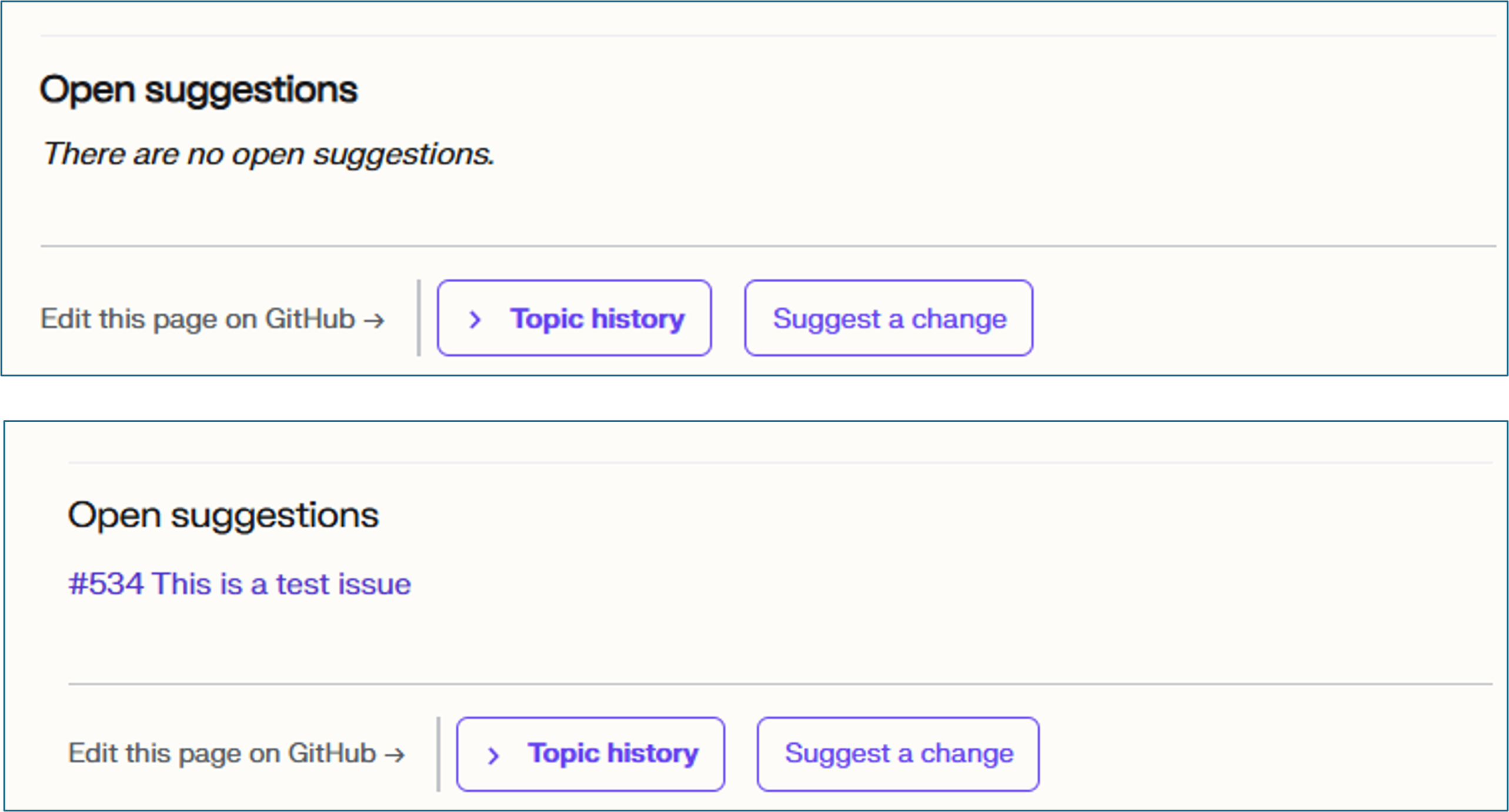
Use the Suggest a Change button at the bottom of the relevant guide to request updates or improvements to that guide. Change requests are listed in the Open suggestions section at the bottom of the relevant guide, and you can open them to view details of the request and to add additional information as needed.
After an issue is opened or updated, an automated refresh rebuilds the suggestion index, validates the site, and publishes the change. The suggestion normally appears on the guide and the All Open Suggestions page within several minutes, plus site deployment time. If the automation cannot verify the generated change or its checks fail, it leaves the refresh PR open for an administrator to investigate.
To see every open suggestion across the site, go to All Open Suggestions.
Example
Learn About Suggestion Workflows
Section titled “Learn About Suggestion Workflows”Guides have no individual owner/SME fields. Use Technical Contacts by System to find expertise by system and subsystem and always identify the FSE for a new-guide handoff. The detailed processes for handling suggestions and maintaining the contacts directory are still being defined.
Choose the option that matches what you want to learn more about.
New Topics and General Requests
Use the New Topics and General Requests page to suggest new topics or make a general suggestion.
Suggest a Change to an Existing Topic
Use the Suggest a Change button at the bottom of the relevant topic to request updates or improvements to that topic.
Example

For example, you can use it to:
- Report incorrect or outdated information
- Point out missing content
- Request additional details or examples
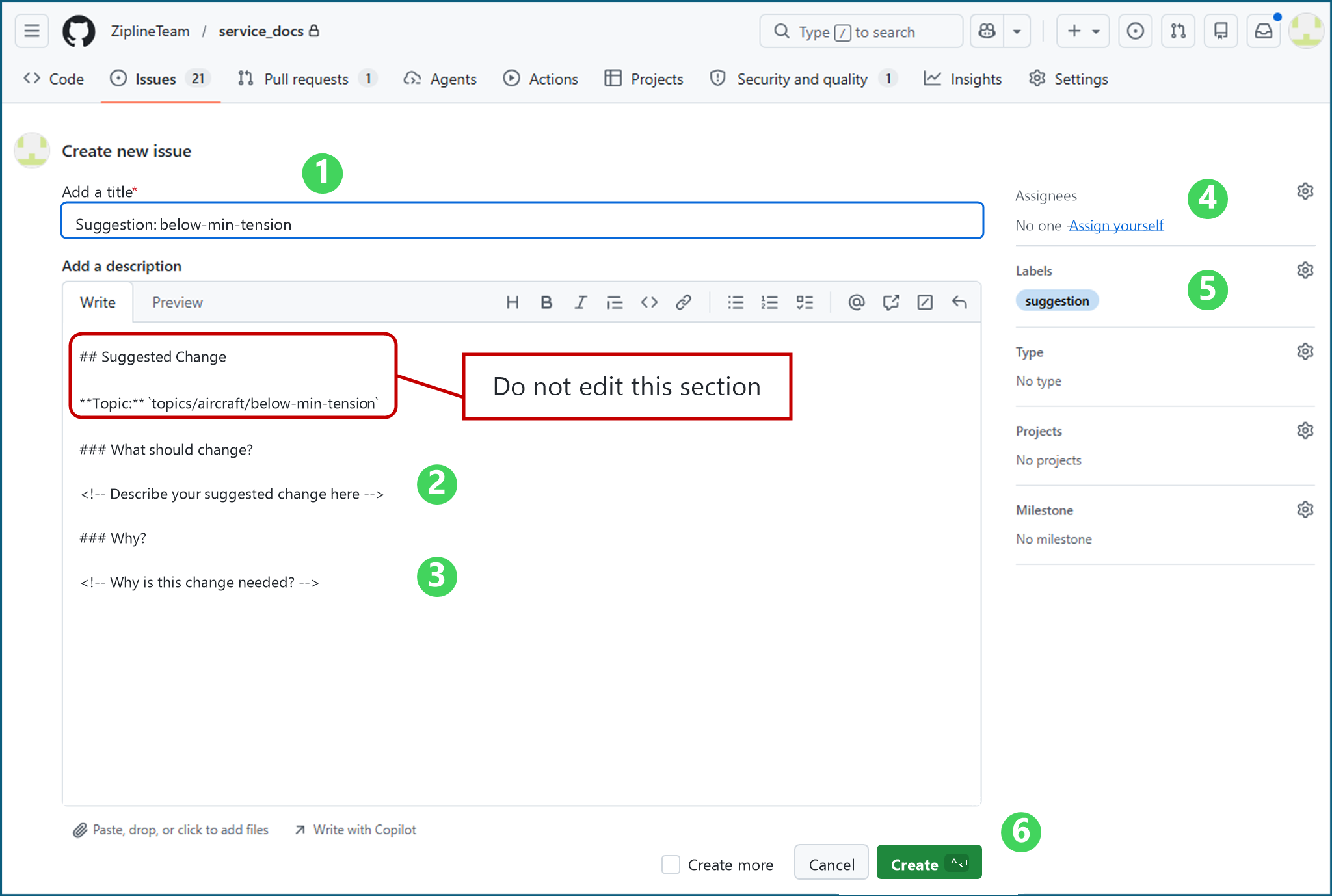
Complete the following fields:
- Add a title: Enter a descriptive title for your suggestion.
- What should change?: Describe the suggested change.
- Why?: Describe why the change is needed.
- Assignees: Suggestions are a shared SE2 team responsibility and are not automatically assigned to individual SMEs. Service Engineering assesses, assigns, and resolves suggestions, consulting FSE or Engineering contacts when needed.
- Labels: Select a priority label plus any other relevant labels: P0-critical, P1-important, or P2-nice-to-have.
- Click Create.
Link the Pull Request That Implements a Suggestion
When you make a pull request that implements a suggestion, link the pull request to the suggestion issue in the pull request description.
Use a closing keyword followed by the issue number:
Fixes #313
For example, if suggestion #313 asks for a missing alarm to be added to an existing topic and your pull request makes that change, add Fixes #313 to the pull request description. GitHub links the pull request to the suggestion issue, links the suggestion issue back to the pull request, and closes the suggestion automatically when the pull request is merged.
Use Fixes #313, Closes #313, or Resolves #313 when the pull request fully addresses the suggestion. If the pull request is related but does not completely resolve the suggestion, use a non-closing reference such as Refs #313 instead.