

Access Diagnostic Page
You can access the Diagnostic page using the Dock or via a smart cart.
NOTE: Whenever the Aircraft is powered OFF or is in flight, the Diagnostic page will not be available.
Access Diagnostic Page Using Dock
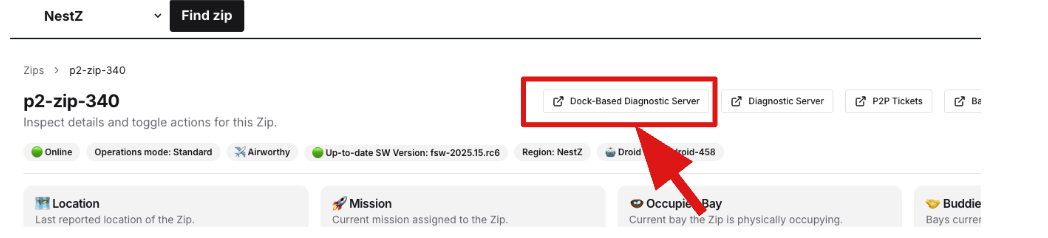
Section titled “Access Diagnostic Page Using Dock”Access Diagnostics Page using Dock-Base Diagnostic Server Page Button
Section titled “Access Diagnostics Page using Dock-Base Diagnostic Server Page Button”
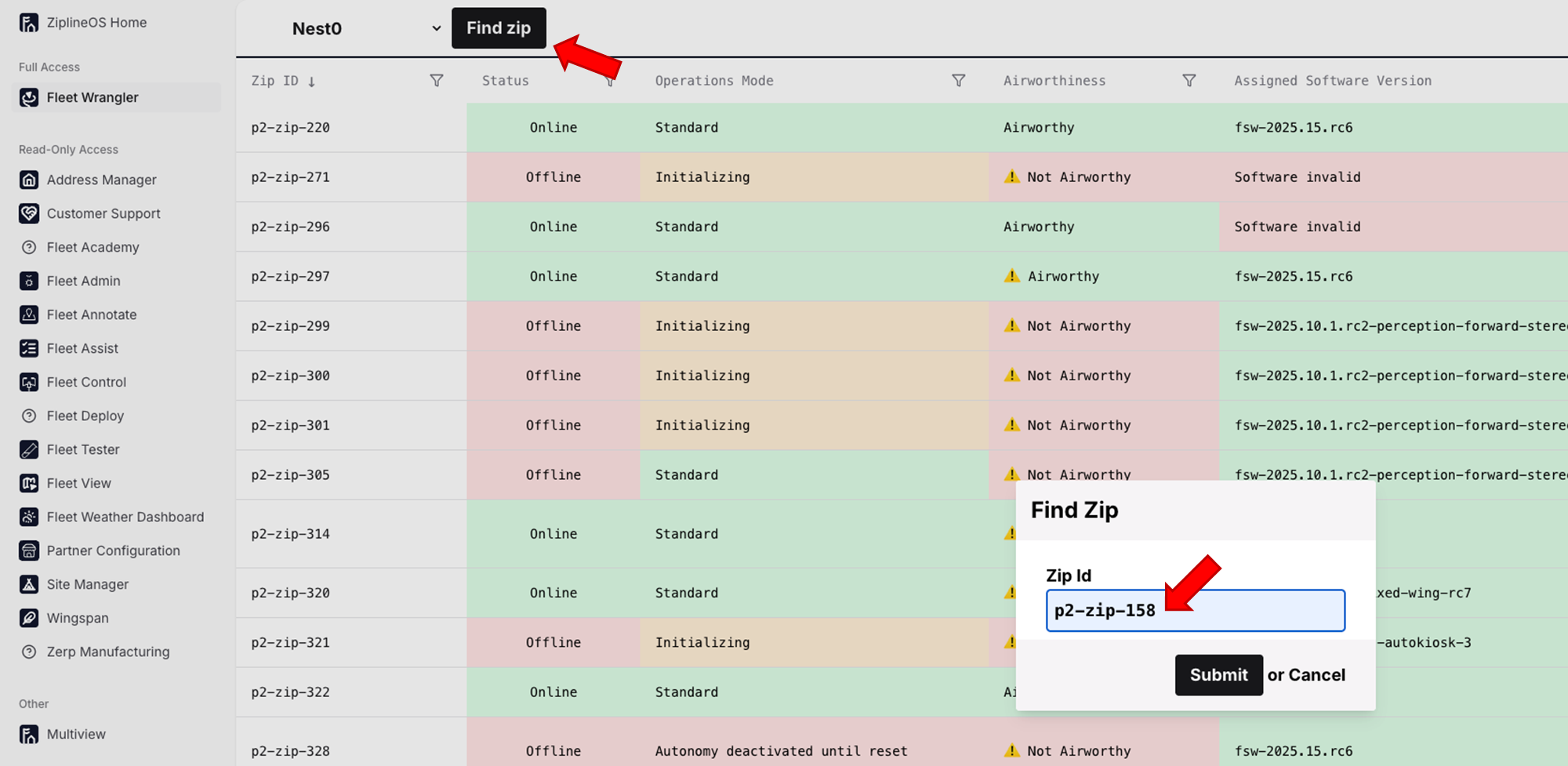
| Example of Aircraft Number in Zip Id Field 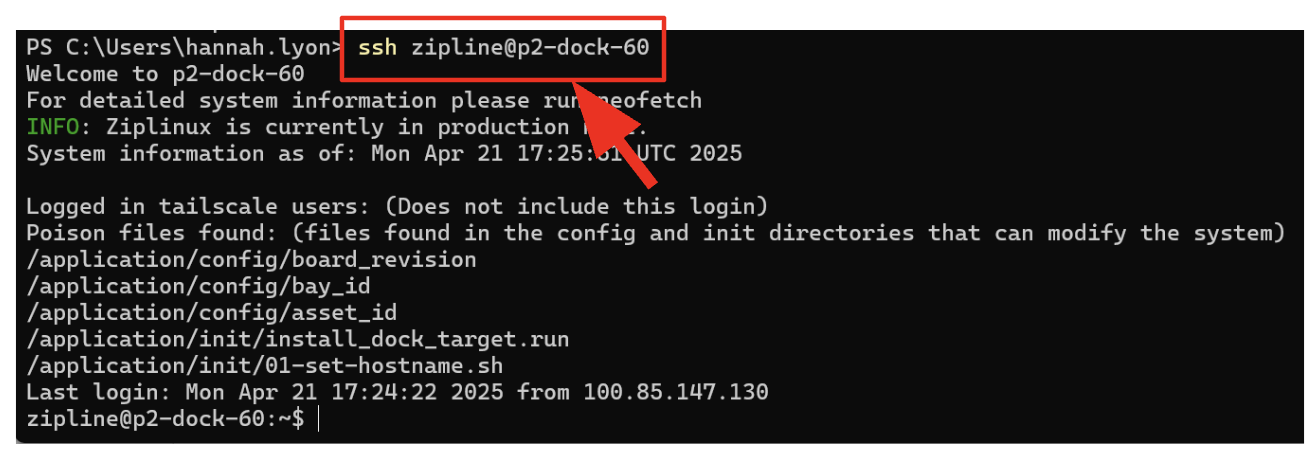 |
|  |
Access Diagnostics Page using SSH into Dock
Section titled “Access Diagnostics Page using SSH into Dock”
|  |
NOTE: If another person executes this command before you do, the system will display an error. If this happens, skip this step and proceed to step 4.  |  |
|  |
| 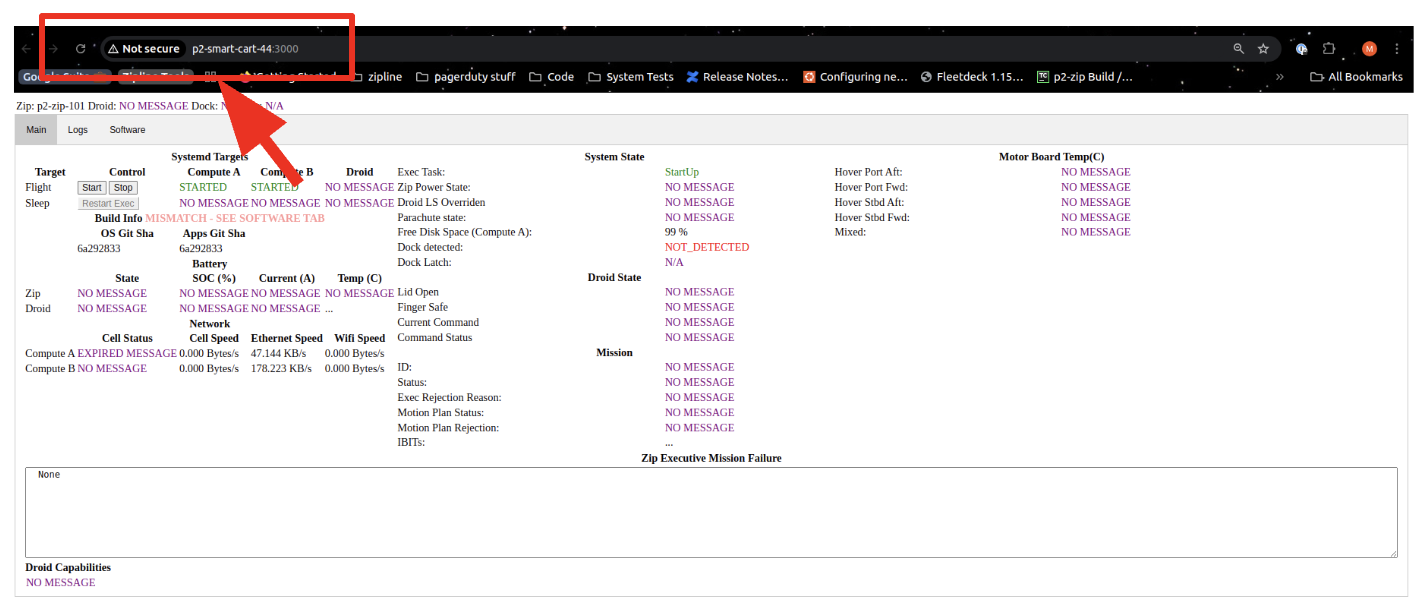 |
NOTE: If the Diagnostic page does not display, repeat the steps. NOTE: The forward diagnostic should automatically run when the Aircraft docks. Whenever the aircraft is powered OFF or is in flight, the Diagnostic page will not be available. | |
Access Diagnostic Page Using Smart Cart
Section titled “Access Diagnostic Page Using Smart Cart”
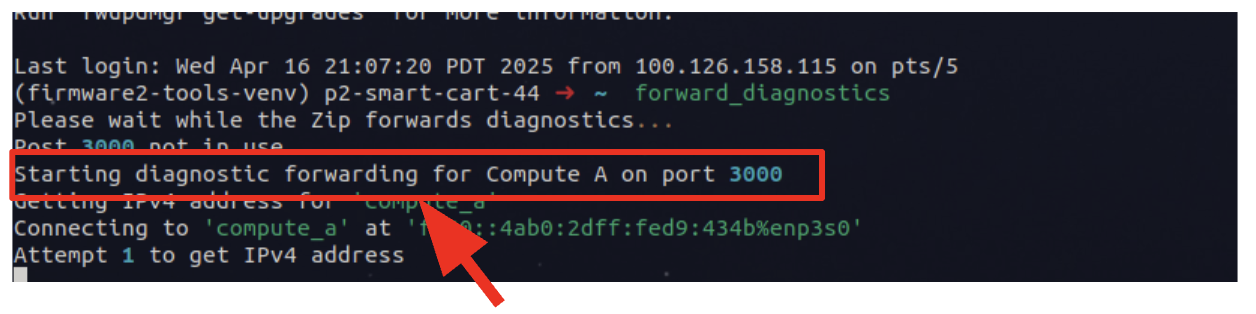
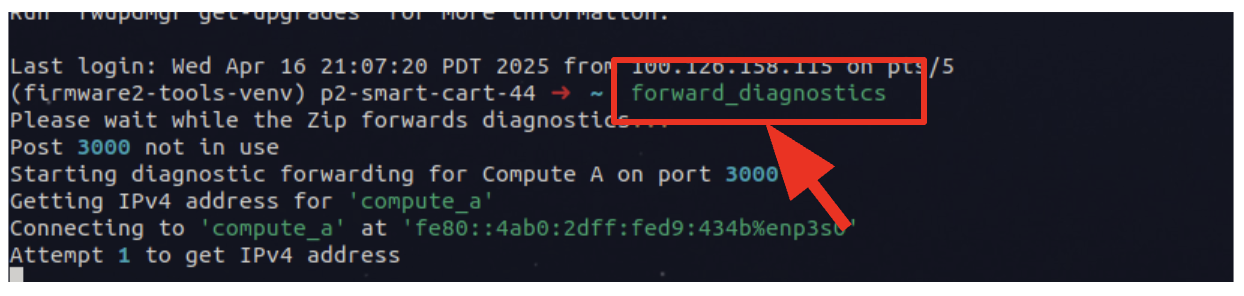
| |
NOTE: If another person executes this command before you do, the system will display an error. If this happens, skip this step and proceed to step 4. | 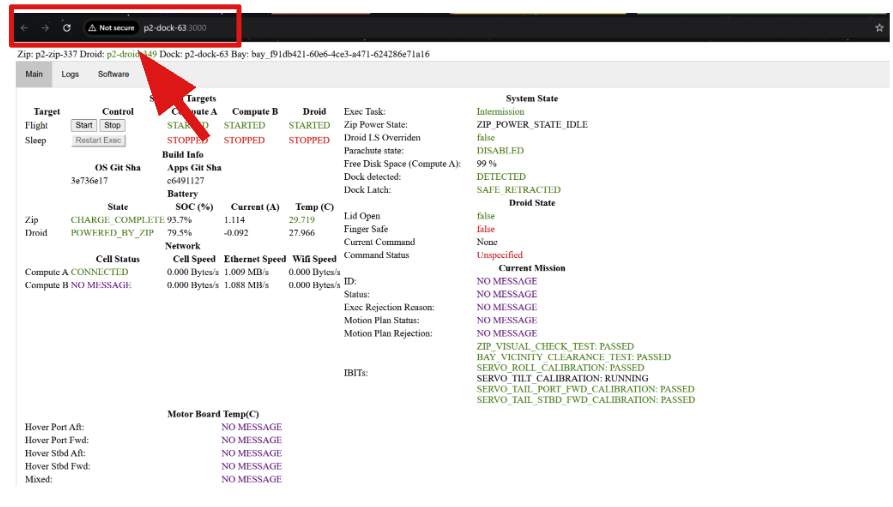 |
|  |
|  |
NOTE: If the Diagnostic page does not display, repeat the steps. NOTE: The forward diagnostic should automatically run when the Aircraft docks. Whenever the aircraft is powered OFF or is in flight, the Diagnostic page will not be available. | |
Did this guide help you get unblocked?
Open suggestions
There are no open suggestions.
Open pull requests
There are no open pull requests.