

Software and hardware applicability
One topic, many fleets
Section titled “One topic, many fleets”A technician may be looking at an EV2 aircraft on 2026.03 while the next bay over holds an EV3 on 2026.15. Both can trip the same alarm. The legacy system solved this with one page per software version — and the technician routinely ended up on the wrong one.
- A canonical topic adapts to the aircraft in front of the technician, not the other way around.
softwareVersionsdeclares the version choices shown in the dropdown; per-stepversions:filters individual steps.hardware: ["EV2"],["EV3"], or["all"]scopes the whole topic to an airframe — the value shows up as a badge in the metadata strip above the steps, so a technician on the wrong airframe sees the mismatch immediately.- Per-step
versions:constraints render as a small pill on the step header (for example,>=2026.09). The technician reads the pill against the build that came in on the alarm report and skips the step if it does not apply.
softwareVersions in practice
Section titled “softwareVersions in practice”export const topic = { status: "published", approvedForMx: null, hardware: ["all"], alarms: ["winch/board_temperature"], softwareVersions: ["2026.03", "2026.09", "2026.15"], steps: [ { id: "navigate-to-baraza-and-apply-the-public", type: "action", text: "Navigate to Baraza and apply the public Baraza template winch_temperature_check to the mission.", next: "are-any-winch-temperature-measurements", versions: ">=2026.09", }, // Steps without a `versions:` field render on every listed build. ],};When the choice represents a range rather than one exact build, use an object with a comparison value and a clearer label:
softwareVersions: [ { value: "2026.15", label: "2026.15 and older" }, { value: "2026.15.1", label: "2026.15.1 and newer" },],The per-step version pill
Section titled “The per-step version pill”Version pill example
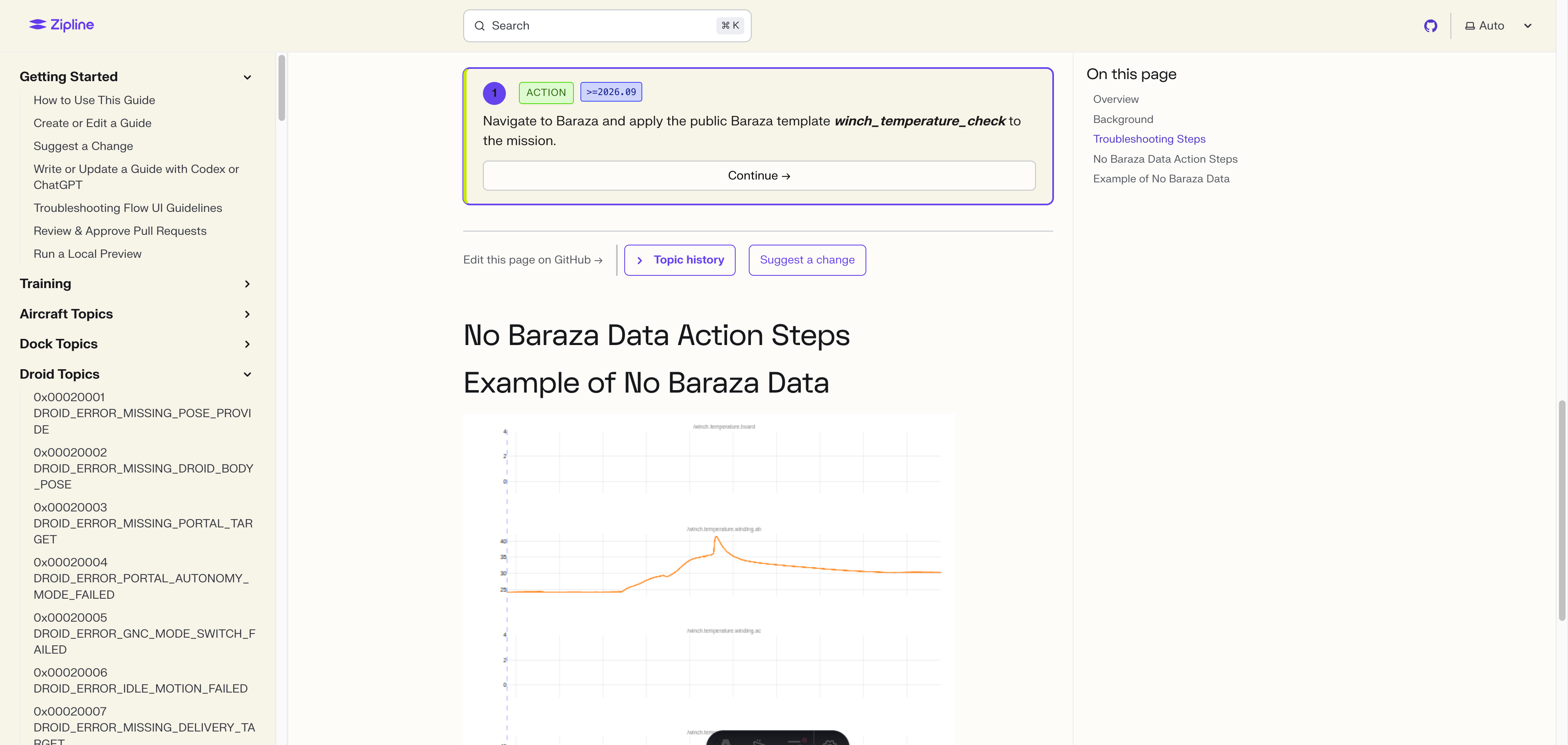
The small pill next to the step number on the rendered topic shows the constraint the step was tagged with — here, >=2026.09. The decision tree hides non-matching steps after the technician chooses a software version, while the pill keeps the visible branch auditable. One canonical URL, one history, one pull-request review — no fork-per-release.
The hardware field
Section titled “The hardware field”Use ["all"] when
Section titled “Use ["all"] when”- The same failure mode exists on every airframe.
- Steps differ only by software build, not by hardware.
- The technician shouldn’t have to think about which fleet they’re on.
Use ["EV2"] or ["EV3"] when
Section titled “Use ["EV2"] or ["EV3"] when”- The part is physically different (for example, an EV3-only airdata sensor).
- The title already says so —
(EV3 only)is a tell. - A wrong-hardware technician landing here would be sent down the wrong path.
Hardware-scoped topic in the wild
Section titled “Hardware-scoped topic in the wild”Hardware badge example
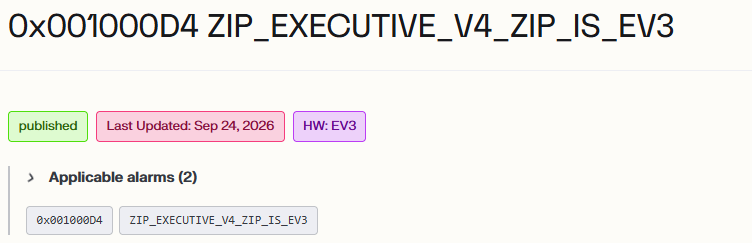
hardware: ["EV3"] on an airframe-specific topic renders as a badge in the metadata strip alongside the status badge, above the applicable alarms. The page itself does not block an EV2 technician from reading it — the badge is the cue. The expectation is that the technician sees EV3 on a topic for an aircraft they don’t have in front of them and stops before walking the steps.
When NOT to make a topic conditional
Section titled “When NOT to make a topic conditional”Conditional fields keep one topic in sync across builds and airframes. They are not a way to glue together two different troubleshooting paths.
- Two airframes with different alarm constants → two topics. Each alarm hangs off its own failure mode in the failure mode and effects analysis you own.
- A renamed alarm in a new build → bridge with
alarm-redirects.json; don’t fork the topic. - Roughly-similar steps but a distinct failure mode → two topics. The hardware engineer who owns the part decides; if it’s a separate failure mode, it gets its own actionable alarm and its own canonical topic.
- Don’t add a version branch on a guess. If the actual steps don’t differ by build, the rendered topic shouldn’t differ either.