

Dock Alarm Report
Viewing this guide for
Alarm Report
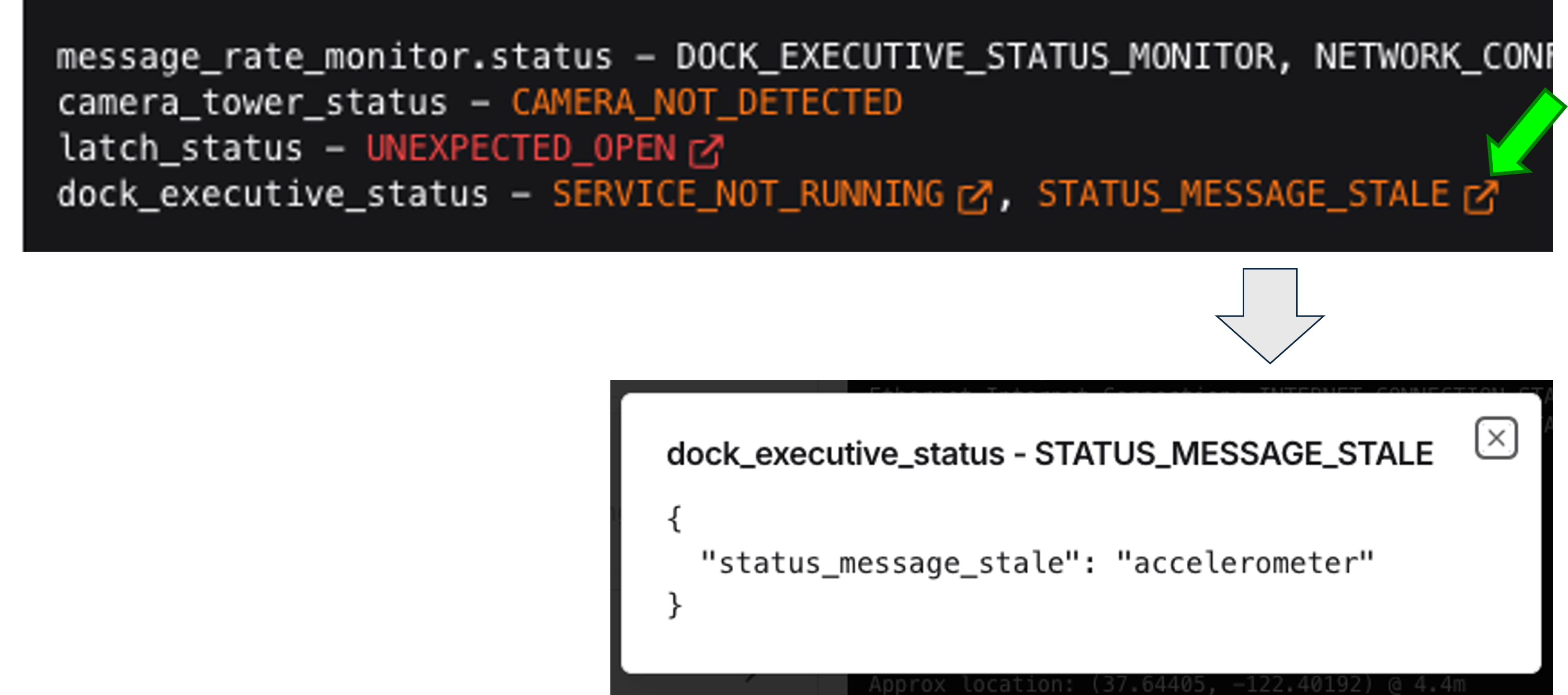
Section titled “Alarm Report”Some alarms in the Alarms section of the Detailed Dock Status and Alarms View have an icon to the right of the alarm name (square with an arrow pointing to the top right). Clicking on this icon provides additional information about the cause of the alarm. This is particularly useful for alarms such as SERVICE_NOT_RUNNING and STATUS_MESSAGE_STALE, which have several different reasons for the alarm occurring.
It is helpful to include this additional information in the ticket.
Did this guide help you get unblocked?
Open suggestions
There are no open suggestions.
Open pull requests
There are no open pull requests.