

Section 2 - Start the local preview
The local preview runs a private copy of the docs site on your computer. It lets you review the rendered page in your browser instead of reading raw Markdown.
Start the preview before you create a branch or begin authoring. Leave the terminal running while you work.
Start The Preview
Section titled “Start The Preview”-
In VS Code, open the
service_docsfolder. -
Open a terminal with Terminal > New Terminal.
-
Look at the command prompt.
- If the prompt ends with
service_docs, stay where you are. - If the prompt is in another folder, change to the repository root first.
- If the prompt ends with
-
Start the Troubleshooting preview by typing in
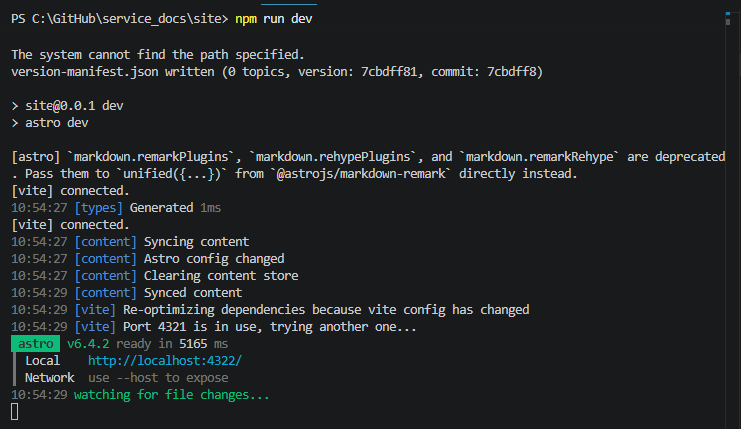
npm run dev:troubleshooting.The terminal should show the local preview URL (in the example below, the local preview URL is shown in blue below the green astro box):
-
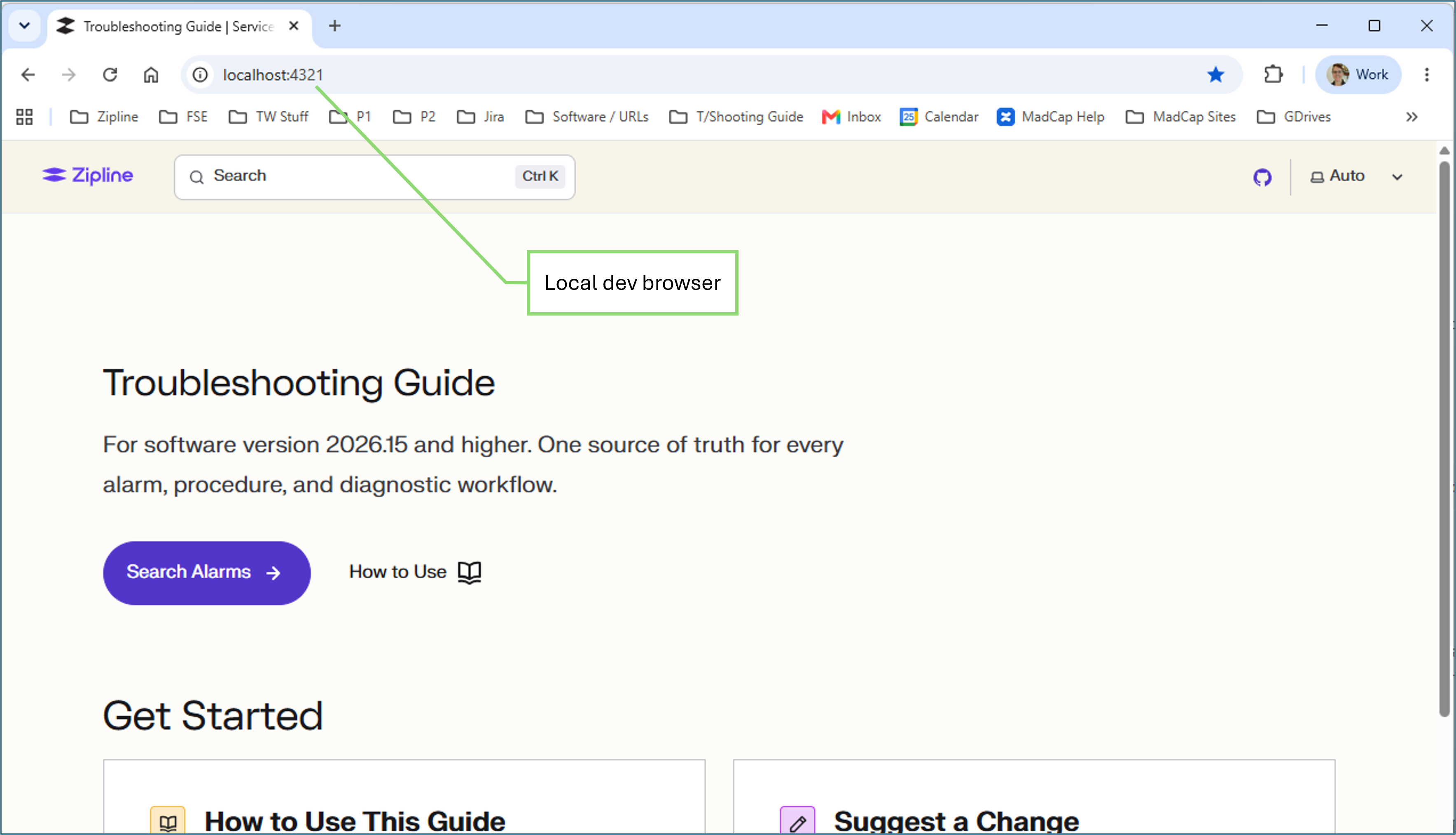
In your browser, open the URL shown in the terminal. In the example above, it is:
http://localhost:4321/The browser should show the local docs site:
-
Stop the server any time by typing
Ctrl+Cin the terminal.
If The Preview Does Not Start
Section titled “If The Preview Does Not Start”If the preview browser doesn’t work, paste a screenshot of the error in Codex and ask it to resolve the error. Common fixes are:
- install dependencies with
npm cifrom theservice_docsfolder - stop a duplicate server that is already using the port
- re-run
npm run dev:troubleshooting - open the exact URL shown in the terminal instead of assuming the port is
4321
You can ask Codex:
Please start the local docs preview for this repo.If the usual port is already in use, tell me the URL I should open.Keep the server running while I review the page.If Codex cannot keep the server running in your setup, ask it for the exact command to run in the VS Code terminal.
For common local-preview hiccups, see Tips and tricks.
When the preview is running, continue to Start each change safely.