

PR readiness checklist
For a new guide, the assigned FSE completes this checklist after finishing the initial draft. For an existing-guide edit, the author completes it. This checklist applies before human review.
Complete the applicable automated and AI review steps before sending the PR to human review. This keeps review focused on content decisions instead of setup issues.
Quick checklist
Section titled “Quick checklist”- Required GitHub checks pass.
- AI Content Review findings are addressed.
- The Confidence Score is reviewed, understood, and acceptable.
- Greptile comments are resolved or answered with rationale.
- The PR status is Waiting for TW Review or Waiting for SE2 Review.
AI checks
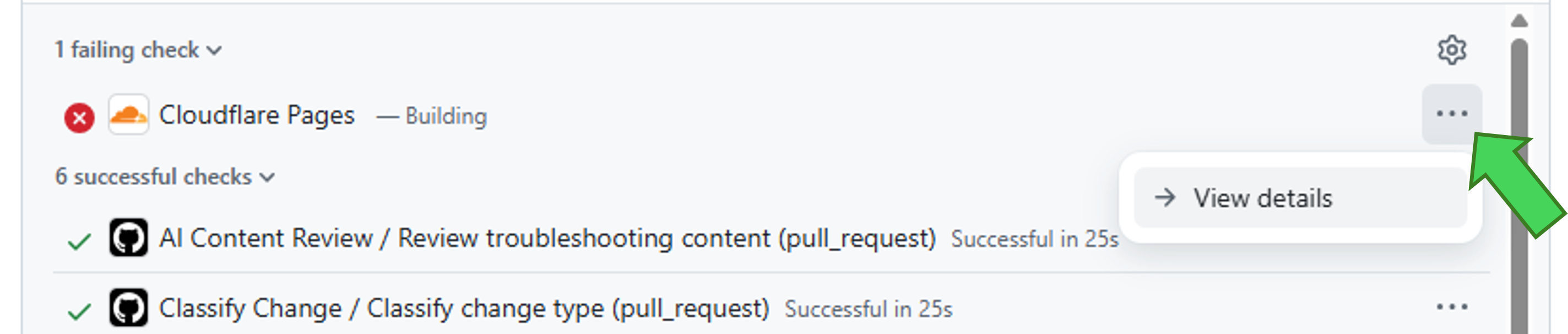
Section titled “AI checks”Ensure that all required checks pass. Resolve any failure, push the fix, and let the checks run again. To see why a check failed, open the details for that check from the pull request checks panel.
Failed check details example
Content review grades
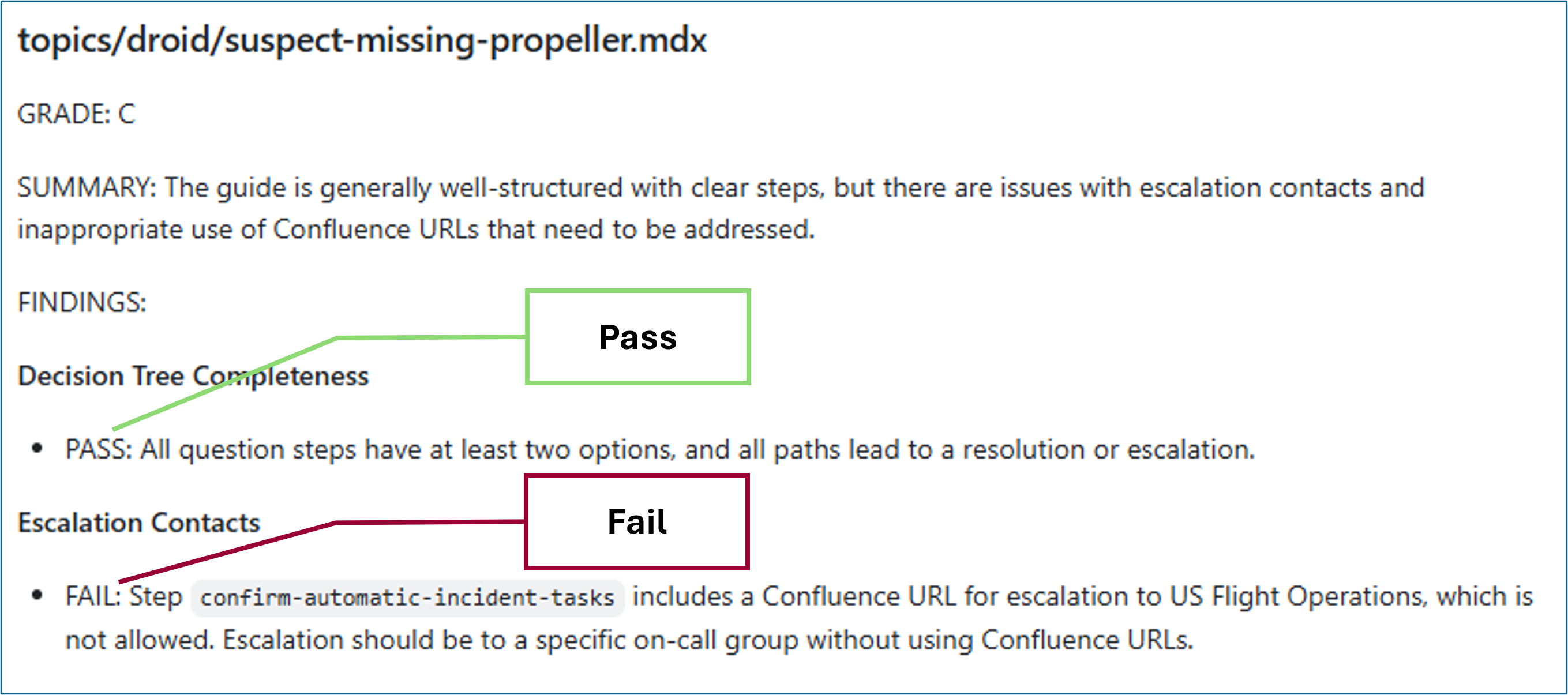
Section titled “Content review grades”Review the AI Content Review grade for each submitted topic or procedure. If the grade is C through F, the topic likely needs more work before approval, so address the issues and resubmit the PR for review. For more context, see Automated checks and review signals.
AI content review grading example
Confidence score
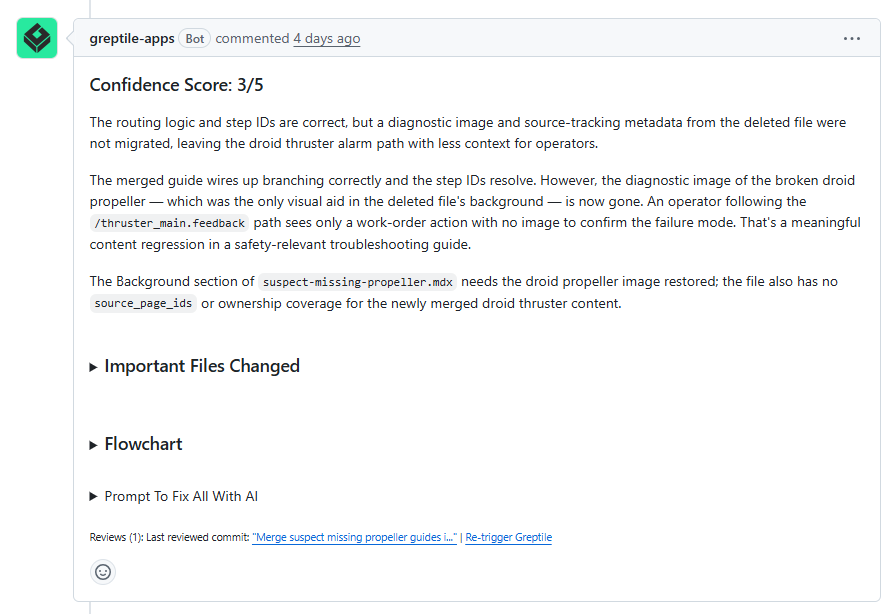
Section titled “Confidence score”Review the Confidence Score panel. If anything is less than 5/5, try to address the issue that caused the lower score. A lower score does not automatically block review.
Confidence score example
Greptile comments
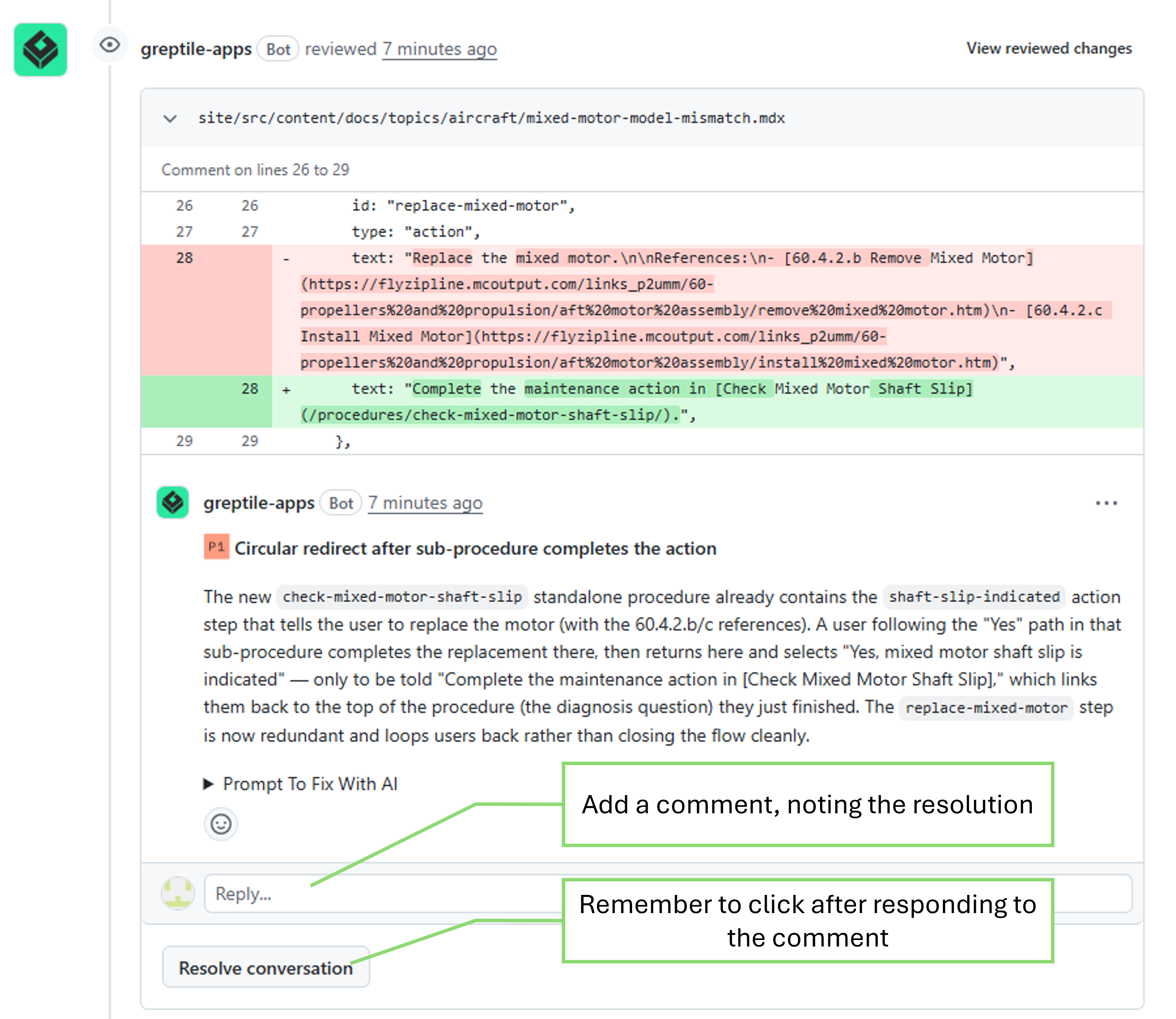
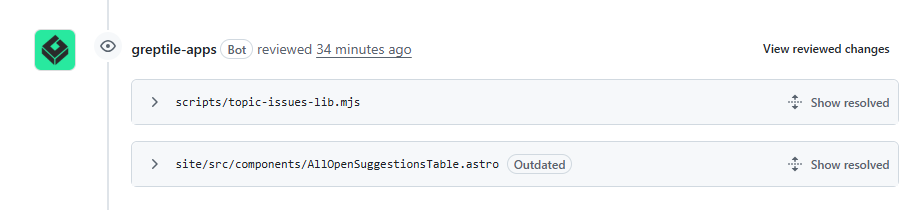
Section titled “Greptile comments”If Greptile leaves comments on the PR, address and resolve them before sending the PR to human review. Sometimes that means updating the PR. Sometimes it means replying with context for why no change is needed. The important thing is that each automated-review comment is acknowledged before review completion.
After you respond, click Resolve conversation for each comment.
Unresolved Greptile comment example
Resolved Greptile comment example
Hand off the PR for review
Section titled “Hand off the PR for review”For a new guide, the FSE moves the PR to Waiting for TW Review. For an existing-guide edit, use Guide ownership and workflow to choose Waiting for TW Review or Waiting for SE2 Review for your role.
You can change the status from either:
- the Projects or TSG Review Workflow field on the pull-request page
- the TSG Review Workflow project board
If the PR was previously in Waiting for Author Updates, move it back to Waiting for TW Review or Waiting for SE2 Review after you have addressed the comments, pushed the update, and confirmed the checks or automated-review comments are handled.
Do not move the PR to a human-review status if checks are failing, Greptile comments are unresolved, or you already know the PR still needs author work.
Reviewers
Section titled “Reviewers”Reviewers may leave comments or request updates. For role-specific reviewer actions, see the Reviewer Guide.
The assigned FSE is responsible for merging a new-guide PR; the author is responsible for an existing-guide edit. The person completing the PR can enable auto-merge while the PR is waiting for reviews, but you must enable it separately for every PR. If you do not enable auto-merge, merge the PR manually after it moves to Ready to Merge. See Auto-merge PR.