

How to Use Troubleshooting Commands
How to Use Troubleshooting Commands
Section titled “How to Use Troubleshooting Commands”Some Troubleshooting Guides instruct you to use a troubleshooting command. Troubleshooting commands are sent to the Aircraft from Fleet Wrangler.
-
In Fleet Wrangler, navigate to the asset view.
-
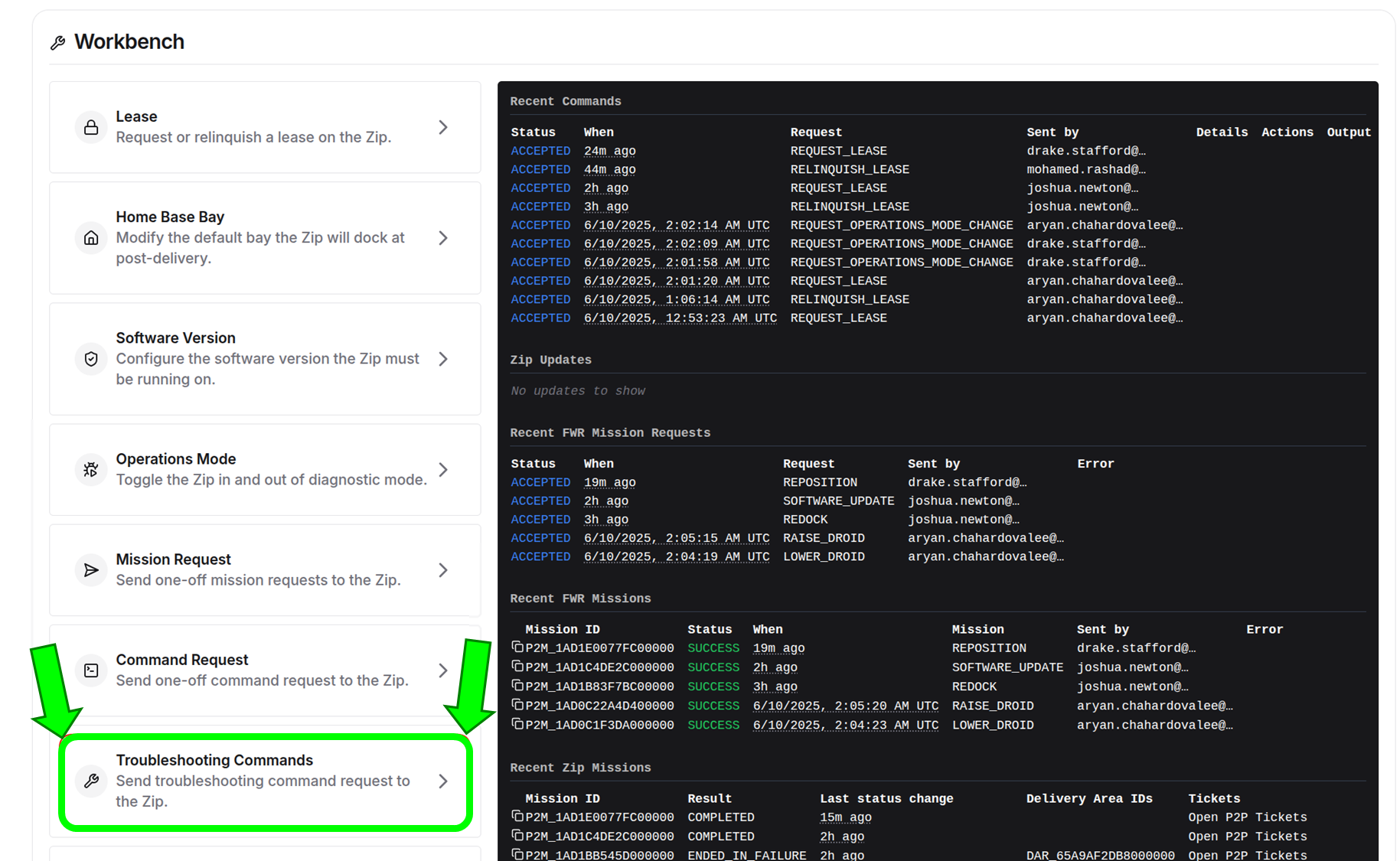
Click the Troubleshooting Commands tab on the left of the workbench for the Aircraft.
-
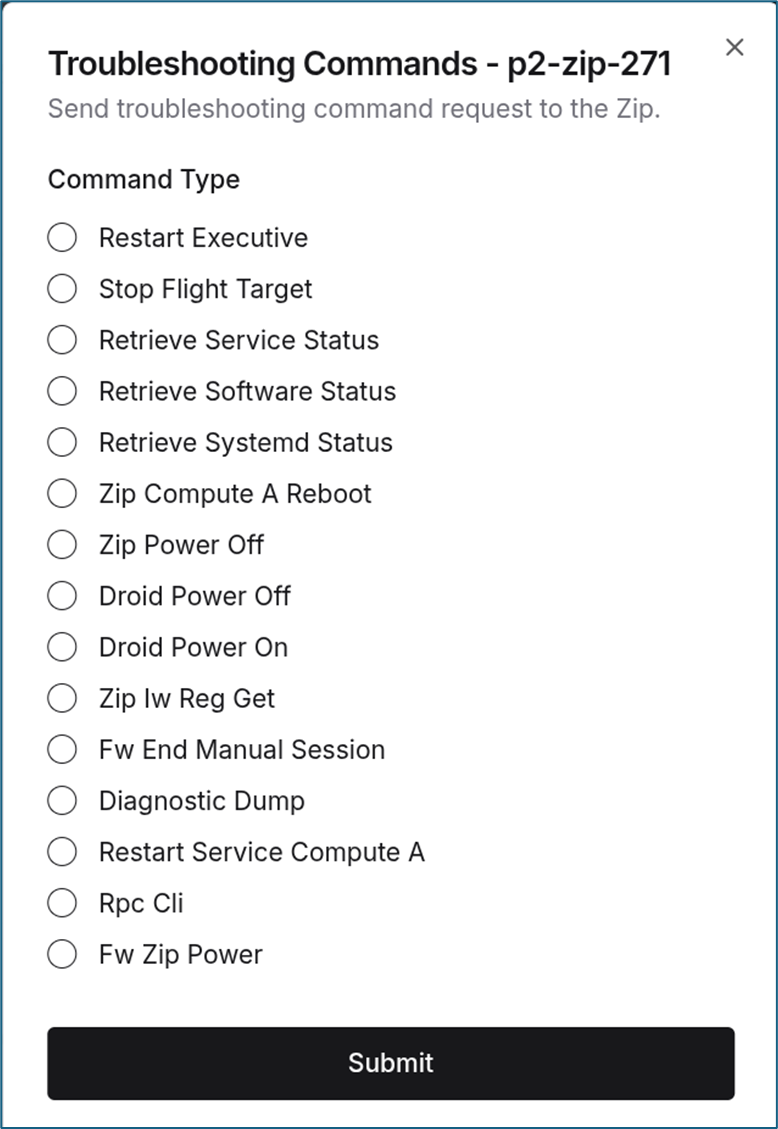
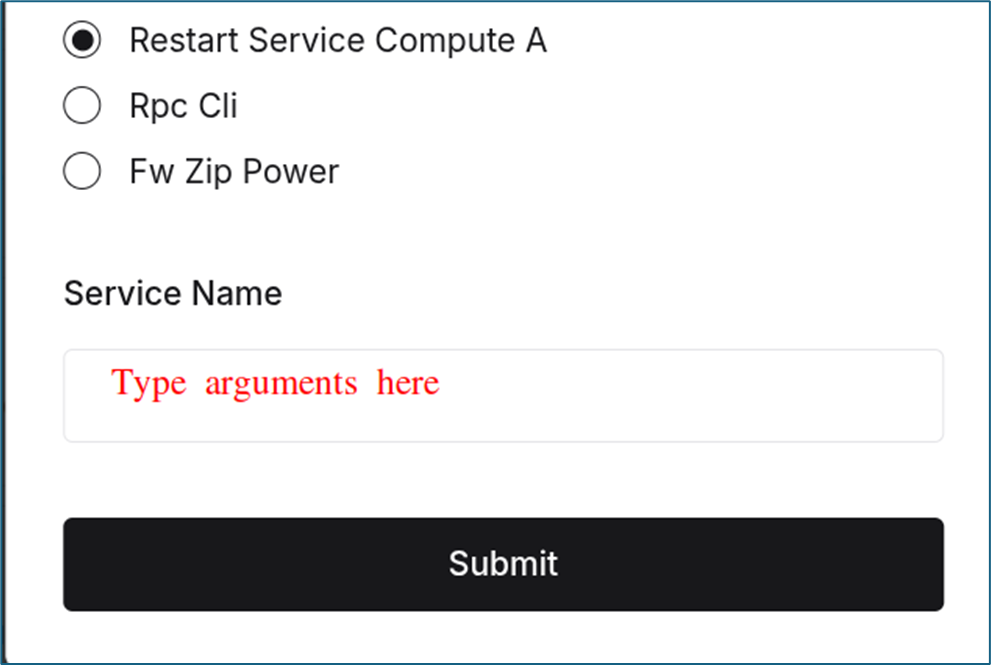
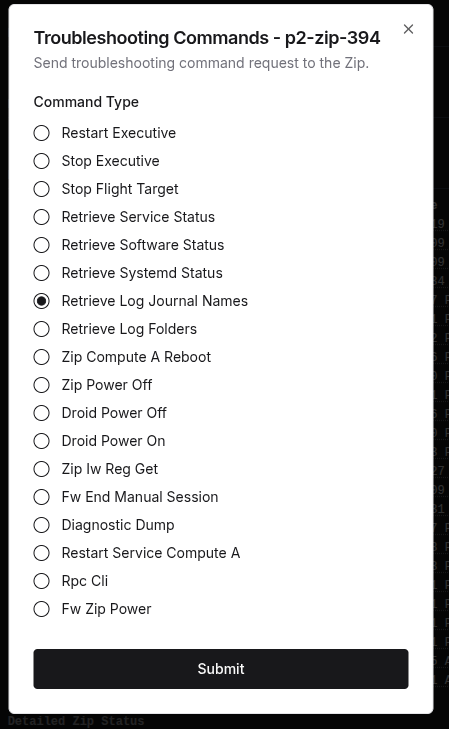
Select the command you wish to run. If there are arguments, enter them. Click Submit.
-
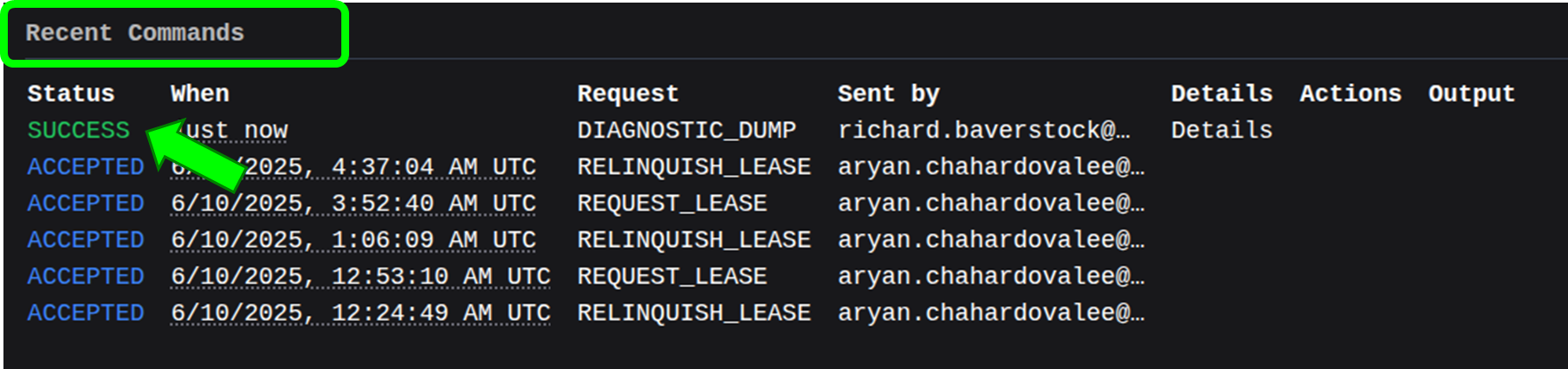
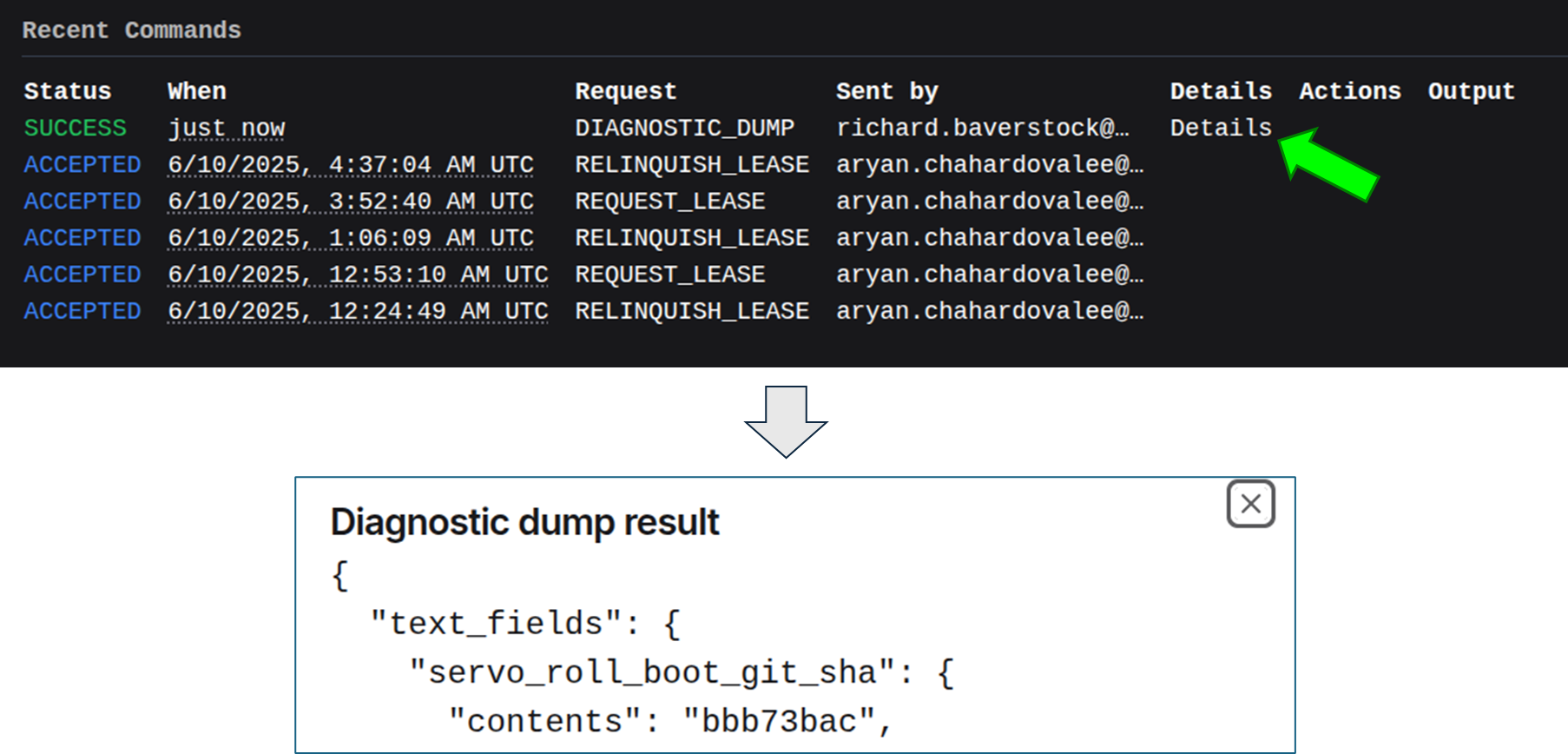
Look for the status under Recent Commands.
-
Click Details to see any response from the command.
Command Definitions
Section titled “Command Definitions”| Name | Description |
|---|---|
| Restart Executive | Restarts the zip executive process on compute A. Does not reboot the system. Clears an AUTONOMY_DEACTIVATED failure. |
| Stop Executive | Stops the zip executive process on compute A. Use if the Aircraft is stuck in startup. Run Stop Flight Target after. Run Zip Compute A Reboot to recover. |
| Stop Flight Target | Puts the Aircraft into sleep mode so that logs can offload. |
| Retrieve Service Status | Gets the status of a service running on compute_a. |
| Retrieve Software Status | Gets the current software version and hashes on the Aircraft and Droid. |
| Retrieve Systemd Status | Gets the status of flight and sleep targets on compute_a, compute_b, and the Droid. |
| Zip Compute A Reboot | Reboots compute_a. Not a power cycle. Compute_b and the Droid are unaffected. |
| Zip Power Off | Powers down the Aircraft. Use the Dock to turn it back on. |
| Droid Power Off | Powers down the Droid. |
| Droid Power On | Powers up the Droid. |
| Zip Iw Reg Get | Debug command to get the wireless regdomain. |
| Fw End Manual Session | Returns the Aircraft to normal power modes if in manual power mode or if the Droid load switch is overridden. |
| Diagnostic Dump | Dumps a set of data previously viewable on the diagnostics page. |
| Restart Service Compute A | Restart a service on compute A. |
| Rpc Cli | Runs the rpc-cli command with the arguments you provide. |
| Fw Zip Power | Runs fw-zip-power with the arguments you provide. |
Retrieve Journal Logs
Section titled “Retrieve Journal Logs”Retrieving journal logs is a two-step process:
-
Run the Retrieve Log Journal Names troubleshooting command.
-
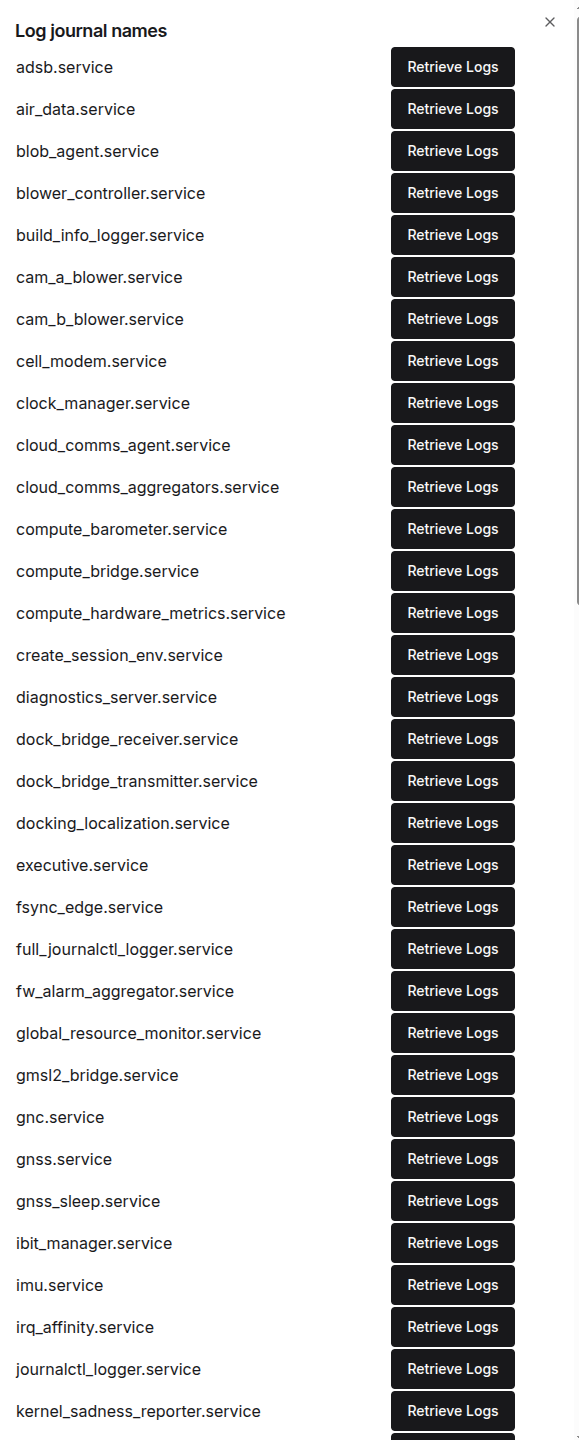
Click Details in the Fleet Wrangler dashboard.

-
Select Retrieve Logs for the journal log that you want.
-
Select Details for the journal log command.

-
View the log.
Did this guide help you get unblocked?
Open suggestions
There are no open suggestions.
Open pull requests
There are no open pull requests.