

How to Check if Aircraft Paralanded (Fleet View)
Viewing this guide for
Applicable to all hardware versions
Background
Section titled “Background”To verify that an Aircraft has paralanded, check the current status of \u201cSystem Fault Responses\u201d in Fleet View.
Troubleshooting Steps
Section titled “Troubleshooting Steps”graph TD
open-fleet-apps-here["<small><b>Step 1</b></small><br/>Action: Open Fleet apps herehttps://fleet-..."]
open-the-fleet-view-app["<small><b>Step 2</b></small><br/>Action: Open the Fleet View app."]
in-fleet-view-click-the-three-lines-in["<small><b>Step 3</b></small><br/>Action: In Fleet View, click the “three lines..."]
in-the-drop-down-list-select-regions["<small><b>Step 4</b></small><br/>Action: In the drop down list, select **Regio..."]
in-the-regions-drop-down-list-select-th["<small><b>Step 5</b></small><br/>Action: In the Regions drop-down list, select..."]
select-the-aircraft-that-paralanded["<small><b>Step 6</b></small><br/>Action: Select the Aircraft that paralanded. ..."]
open-fleet-apps-here --> open-the-fleet-view-app
open-the-fleet-view-app --> in-fleet-view-click-the-three-lines-in
in-fleet-view-click-the-three-lines-in --> in-the-drop-down-list-select-regions
in-the-drop-down-list-select-regions --> in-the-regions-drop-down-list-select-th
in-the-regions-drop-down-list-select-th --> select-the-aircraft-that-paralanded
style open-fleet-apps-here fill:#dcfce7,stroke:#22c55e,color:#14532d
style open-the-fleet-view-app fill:#dcfce7,stroke:#22c55e,color:#14532d
style in-fleet-view-click-the-three-lines-in fill:#dcfce7,stroke:#22c55e,color:#14532d
style in-the-drop-down-list-select-regions fill:#dcfce7,stroke:#22c55e,color:#14532d
style in-the-regions-drop-down-list-select-th fill:#dcfce7,stroke:#22c55e,color:#14532d
style select-the-aircraft-that-paralanded fill:#dcfce7,stroke:#22c55e,color:#14532d Hover or focus a block to preview it. Select the block to keep the preview open.
1 action
Open Fleet apps here.
2 action
Open the Fleet View app.
3 action
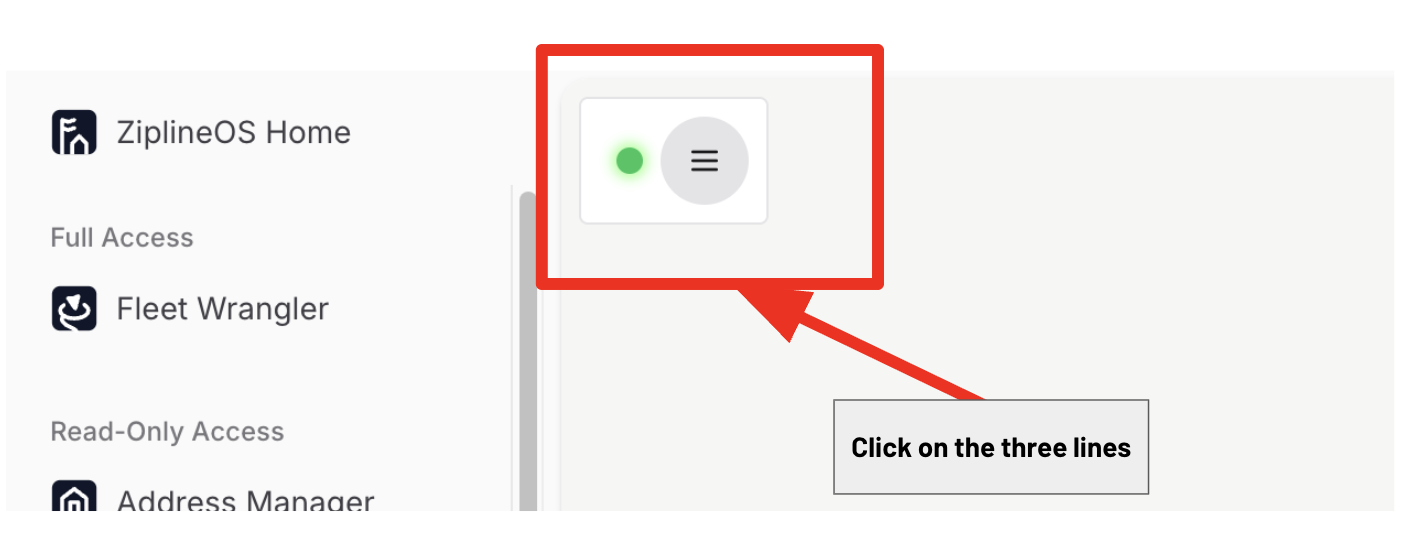
In Fleet View, click the “three lines” in the top left corner.
4 action
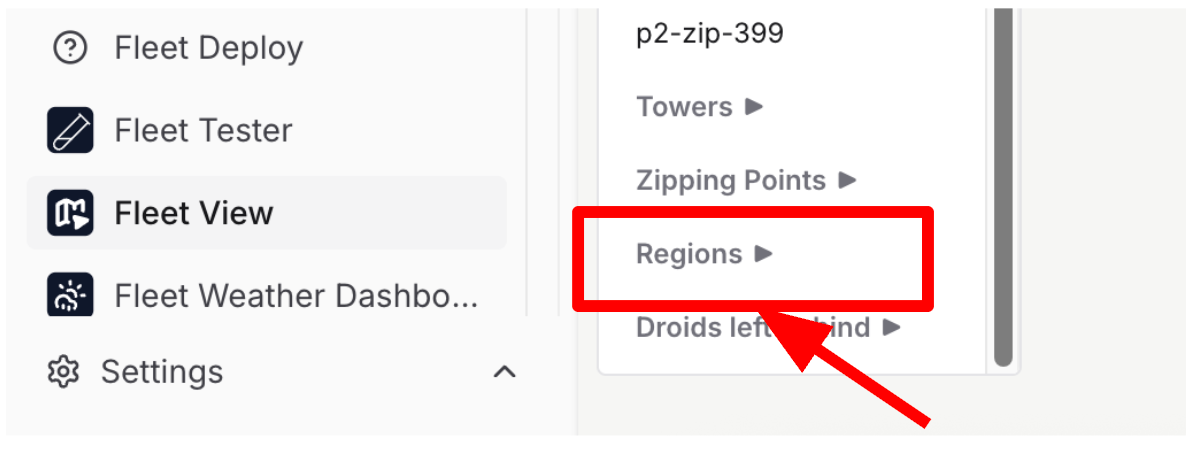
In the drop down list, select Regions.
5 action
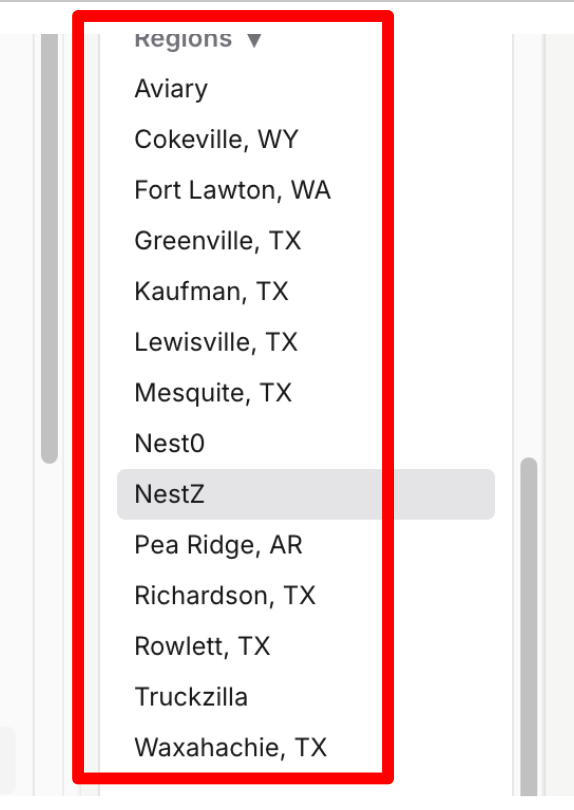
In the Regions drop-down list, select the location where the Aircraft has paralanded to view all Aircraft located at the site.
6 action
Select the Aircraft that paralanded.
The system displays the current state of the Aircraft and the System Fault Response. If the Aircraft has paralanded, the System Fault Response is Paraland.
The system displays the current state of the Aircraft and the System Fault Response. If the Aircraft has paralanded, the System Fault Response is Paraland.
Resolution note
This plaintext block is ready to paste into the Resolution Note field on the ZERP issue you're working. The permalink below gives engineering review access to the full step-by-step timeline including any back-navigation; share it if the case needs a deeper look.
Permalink:
Session is too large to fit in a URL. Use Download session JSON to share the timeline out-of-band.
Did this guide help you get unblocked?
Open suggestions
There are no open suggestions.
Open pull requests
There are no open pull requests.