

Power ON Droid
Viewing this guide for
Power ON Droid Using FleetWrangler
Section titled “Power ON Droid Using FleetWrangler” 1 action
In FleetWrangler, click Troubleshooting commands.
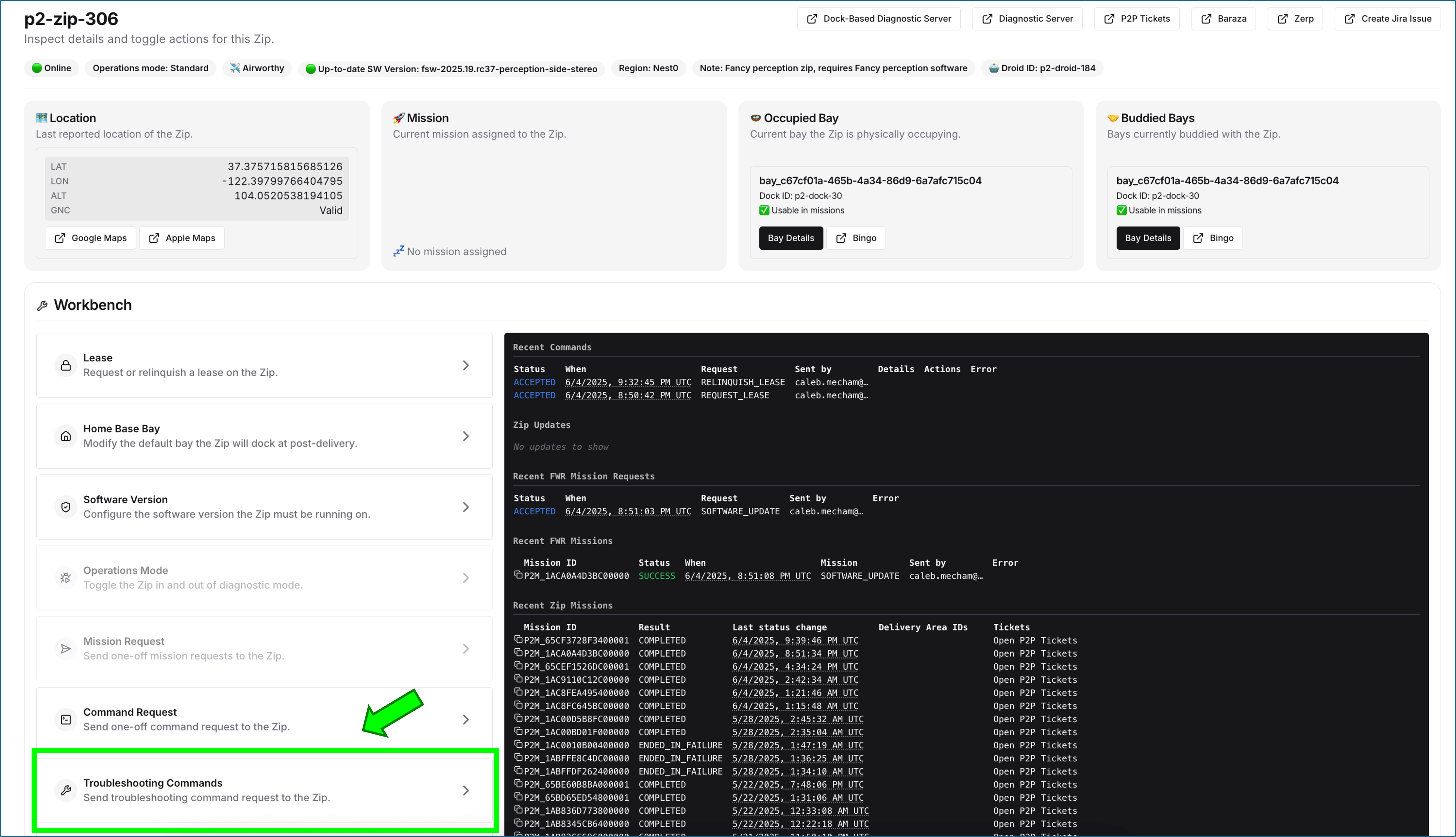
2 action
Select Droid Power On and click Submit.
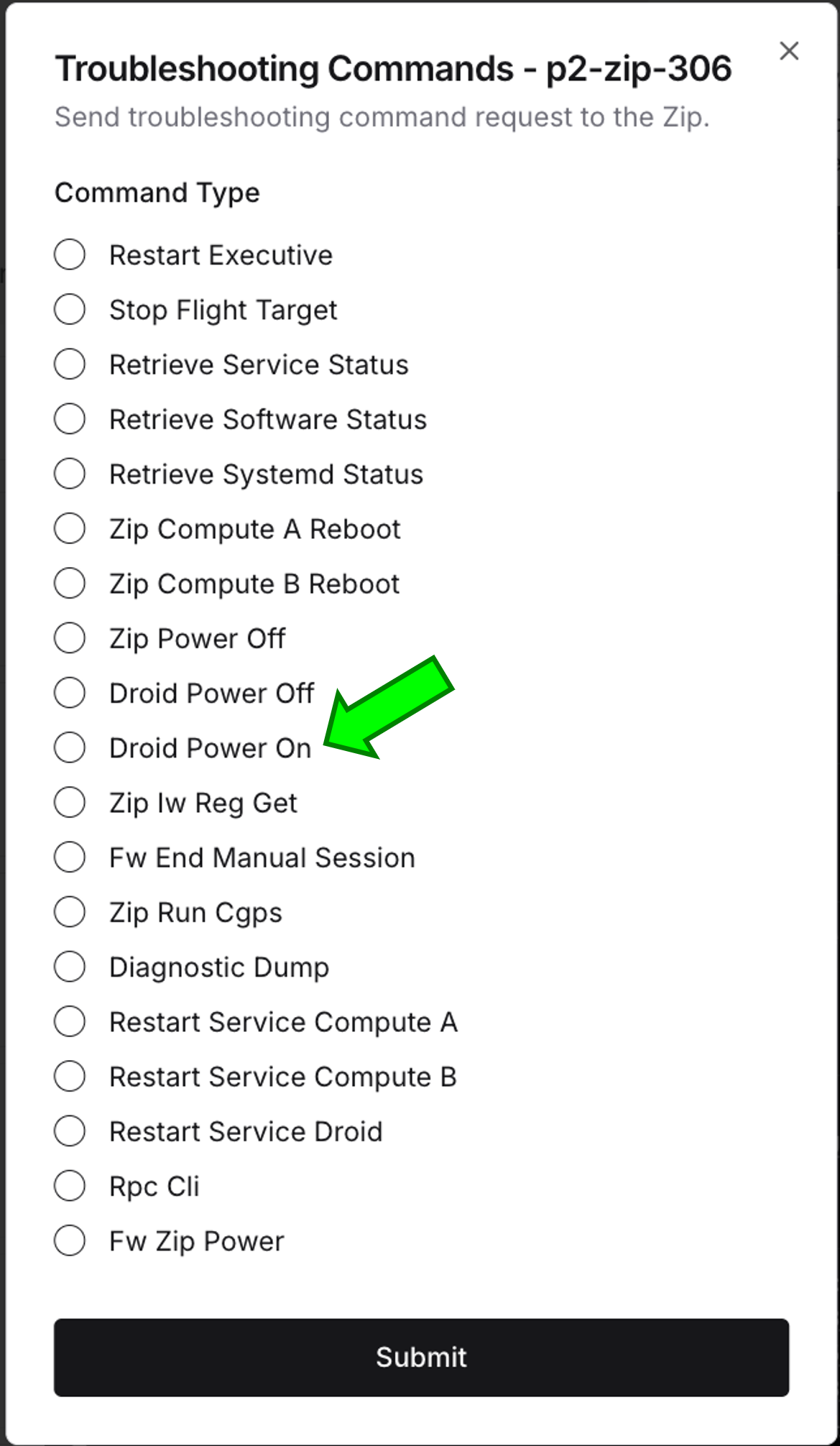
3 action
In the Recent Commands section, wait for the command to indicate success.
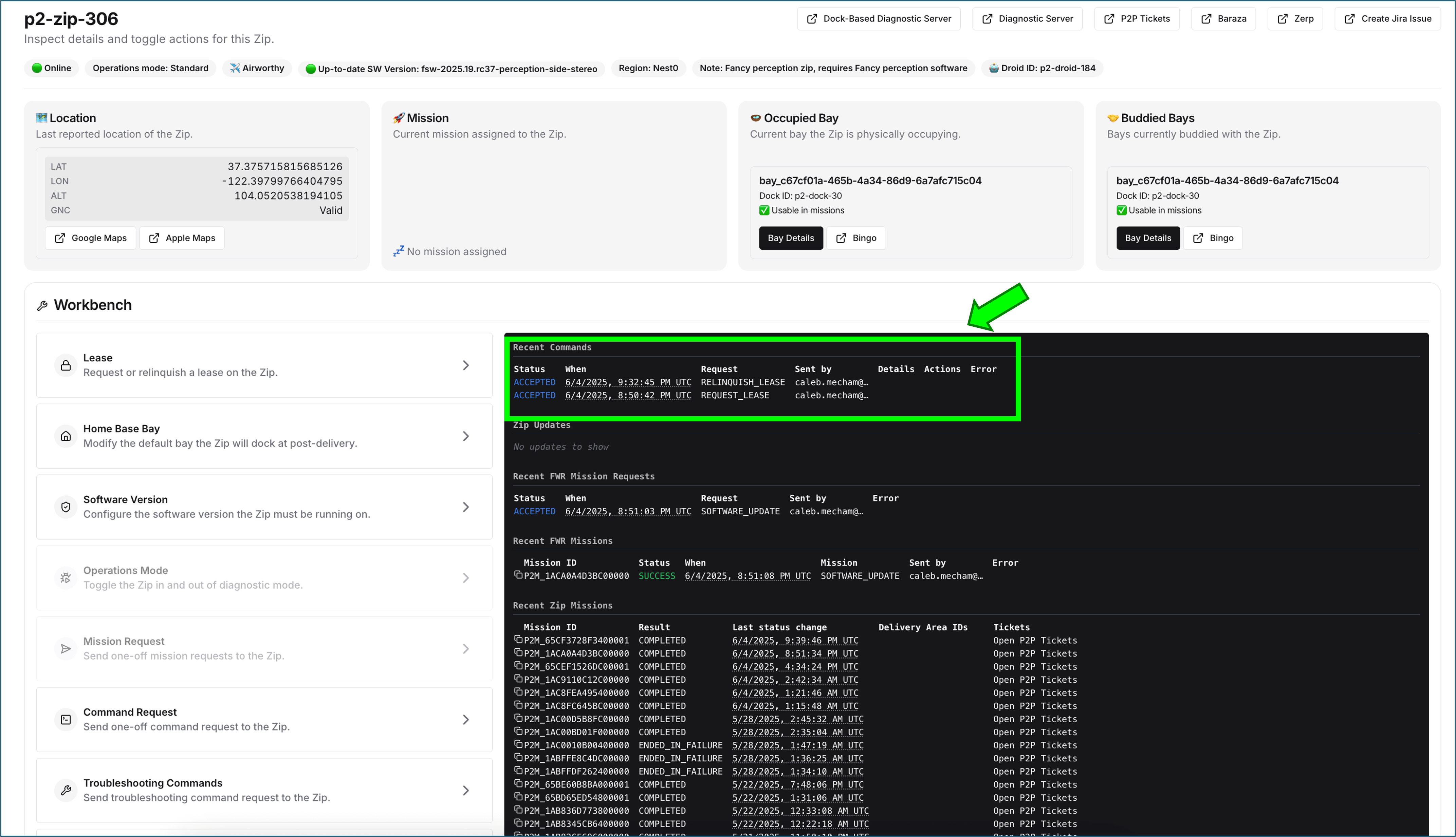
Power ON Droid Using Compute
Section titled “Power ON Droid Using Compute” 1 action
SSH into a compute (SSH into Compute A/B).
2 question
Choose one command option.
3 action
Run:
fw-zip-power -i enP8p1s0 enable-droid-power 4 action
Wait one minute.
5 action
Run:
fw-zip-power -i enP8p1s0 end-manual-session 6 action
Run:
fw-zip-power -i enP8p1s0 enable-droid-power && sleep 60 && fw-zip-power -i enP8p1s0 end-manual-sessionPower ON Droid Using Smart Cart
Section titled “Power ON Droid Using Smart Cart” 1 action
SSH into the smart cart (SSH into Smart Cart).
2 action
Run:
fw-zip-power -i enp3s0 enable-droid-power 3 action
Wait one minute.
4 action
Run:
fw-zip-power -i enp3s0 end-manual-sessionPower ON Droid Using Manufacturing Smart Cart
Section titled “Power ON Droid Using Manufacturing Smart Cart” 1 action
Connect the droid to the manufacturing smart cart. No SSH is needed as the manufacturing smart cart has a built in terminal that can be accessed via the touchscreen monitor. Once connected, set the power supply below to 40 Volts and 3 Amps, then power on
2 question
The SOM blowers of the brain should turn on after 30 seconds. Are they spinning at a constant speed and is roughly 0.5 Amps of current being drawn from the power supply once it goes steady?
3 question
Run the command
ping_devices in the terminal of the droid EOL tester. Is the droid detected by the tester AND are compute_droid, safety, thruster_fwd, thruster_aft, and thruster_main ALL present in the list? 4 action
Contact Droid EOL On Call for further assistance with the tester or Droid.
5 action
The Droid is powered ON.
Did this guide help you get unblocked?
Open suggestions
There are no open suggestions.
Open pull requests
There are no open pull requests.